You Do Not Need the Pro Tool on Day One. You Need to Know When to Switch.
You do not need the pro tool on day one. That sentence from the reel is worth more than the whole chart it sits under.
Almost everyone gets the timing wrong in one direction or the other. Some buy the professional tool before they have a single finished project and spend a month learning features they will not need for a year. Others stay on the beginner tool long after it has started costing them hours, because switching feels like work and the pain arrives slowly.
What you actually need is not a list of pro tools. It is a way to recognise the moment the beginner tool starts slowing you down – and a clear idea of what to move to when it does.
Six jobs, two stages each
The reel’s map. Top row is where to start; bottom row is where to go when the job outgrows it.
| Writing | Coding | Video | Automation | Websites | Research |
|---|---|---|---|---|---|
| Start: ChatGPT | Start: ChatGPT or Lovable | Start: InVideo or CapCut | Start: Make | Start: Shopify or Replit | Start: Gemini or ChatGPT |
| Go further: Claude Long, rule-bound writing |
Go further: Cursor When it gets serious |
Go further: Higgsfield Pro-level generated shots |
Go further: Zapier When it has to scale |
Go further: Emergent To build properly |
Go further: Perplexity When you need sources |
That caption matters. It is tempting to read a chart like this as free on top, paid underneath, and it is not. It is simple on top, deep underneath. Some pairs are not even better-and-worse at all – they are two good tools that suit different ways of working.
The switching signal for each job
This is the useful part. Each job has a specific symptom that tells you the beginner tool is now costing more than it saves.
| Job | Switch when you notice | Stay put if |
|---|---|---|
| Writing | You spend longer correcting the draft than it would take to write it, especially on long pieces with rules to follow | You mainly need short drafts you rewrite anyway |
| Coding | The project has more than a handful of files and every change breaks something elsewhere | You are building small single-page tools and prototypes |
| Video | Templates start to look like everyone else’s, or you need shots no stock or template provides | Your videos are edited footage and captions, not generated scenes |
| Automation | Workflows fail silently, or you run enough of them that pricing and reliability become the question | You have two or three automations that simply work |
| Websites | You need something the builder will not let you do, or you are fighting it every week | The site does its one job – sell, or collect emails – and nobody complains |
| Research | A claim is going into a published video and you need to show where it came from | You are exploring an idea, not citing it |
Notice the research row. That one is less about skill level than about stakes: the moment anything factual goes into a video, a tool that shows its sources becomes the right choice regardless of how experienced you are.
The post this came from
Watch the reel
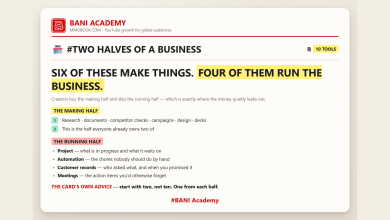
Beginner and pro, job by job – the last slide is the full business stack in one picture. Posted on the BANI Academy page.
Signs you are upgrading too early
The opposite mistake is just as common and much harder to notice, because buying a better tool feels like progress.
| The sign | What is really going on |
|---|---|
| You have the pro tool but no finished project in it yet | The bottleneck was the work, not the software |
| You are learning features you cannot name a use for | You are studying the tool instead of doing the job |
| You switched after a video about the tool, not after a bad week | The trigger was curiosity, not friction |
| The old tool never actually failed you | There was no problem to solve |
This is the same discipline as the one-change-at-a-time procedure in seven jobs, seven tools, one swap: time the job, find the real cost, change one thing, judge it after three pieces of work.
Two pairs that are taste, not level
Not every arrow on the chart points upward. Two of them are better read as a difference in style.
Make and Zapier. The chart says learn on one and scale on the other, and that is a reasonable path. But plenty of people run large, serious automations on Make and small, simple ones on Zapier. One tends to feel more visual and flexible; the other more straightforward and widely connected. Pick the one whose way of thinking matches yours, and switch only if you hit a real wall – not because a chart labelled it the beginner option.
Site builders and building from scratch. A hosted store or a quick-launch platform is not a lesser version of a properly built site. For a channel that needs one page to sell a product or collect emails, it may be the permanently correct answer. “Building properly” only pays off when you need something the simpler platform genuinely cannot do.
The general rule: treat each arrow as a question, not a verdict. Does the deeper tool solve a problem you actually have this month? If not, the tool you already know is the pro choice for you.
What switching actually costs
Every switch in the chart has a price that the chart does not show, and it is rarely the subscription.
Relearning. A deeper tool is deeper because it has more to learn. Budget a slow week, and do not switch in the middle of a deadline.
Moving your work. Automations have to be rebuilt, projects exported, sites migrated. Some switches – website platforms especially – are far more expensive than they look from outside. Treat those as decisions, not experiments.
Free-tier walls. Some of the “go further” tools are mostly paid, with a small allowance of free credits to try them. Know that before you plan a video around one; we mapped where free tools stop in free until minute forty.
None of these is a reason not to switch. They are reasons to switch once, on purpose, rather than drifting between tools every month. And many switches do not require leaving anything behind – as we found when sorting a similar chart in twelve arrows, four different things, a lot of “upgrades” are an add-on inside what you already use.
What this looks like for a channel
For most channels the order of switching is predictable. Research tends to come first, because the day you cite something on camera is the day sources start to matter. Writing usually follows, once scripts get long enough that correcting a generic draft costs more than it saves – which assistant fits which kind of writing is laid out in five assistants, five jobs. Video tools come later, and only for channels that genuinely need generated footage. Automation and websites come last, when there is enough volume to justify them.
If you are not sure which job is actually slowing you down, measure before you buy anything. The one-week audit in where do the hours actually go answers that in a few evenings.
Frequently asked questions
Is the pro tool always better?
No. Several pairs are different styles rather than better and worse. The pro tool is deeper, which only helps when you need the depth.
Is beginner the free option?
Not reliably. Beginner and pro describe stage, not price – check each tool’s own pricing page.
Should I switch all six at once?
No. One job at a time, when that job shows its switching signal.
What if I skip the beginner tool entirely?
Possible if you already know the job well. If you do not, the simpler tool teaches you what you actually need from the deeper one.
Find the slide you are on
Go through the six jobs and, for each one, ask a single question: did the tool I use cost me real time this week? For most jobs the answer is no, and you should change nothing. For one, it probably is yes – and that is the only switch worth making this month.
Learning a lot does not make anyone good. Doing a lot does.
If you want the structure that turns that into a habit, that is what our free challenge is built for: no barrier to entry, a genuine commitment to action, and a refundable commitment fee you get back when you finish. You are not paying for the knowledge. You are betting on yourself finishing, and we hold the stake.
Which slide are you on? Tell us in the comments on the original reel.
For more on building channels for English-speaking audiences, that is what we work on at mmoyoutube.com.