Where Do the Hours Actually Go? Pick the Line That Hurts, Not the Tool That Looks Cool
“Saves you hours every day” is the most common claim in AI marketing and the least useful, because it never says whose hours or which ones.
You cannot save time you have not measured. Until you know where your week actually goes, a tool list is a shopping catalogue – and the thing people buy from a catalogue is the item that looks most impressive, not the one that fixes their Tuesday.
So this article goes the other way round. Find the line that hurts first. Then, and only then, look at the map.
Six jobs, one pick each
Every one of these big tool maps sorts into the same six jobs. Sixty names, six rows, and you need one name per row – fewer if you do not do that job.
| Video | Design | Writing | Research | Marketing | Productivity |
|---|---|---|---|---|---|
| Descript HeyGen Veed ElevenLabs Reels, Shorts, long video, voice. |
Canva Midjourney Leonardo Ideogram Thumbnails, logos, brand visuals. |
Claude Notion AI Rytr Grammarly Blogs, emails, scripts. |
ChatGPT Gemini Perplexity Chatbase Questions, sources, knowledge bases. |
Jasper Semrush AdCreative.ai Plai Ads, SEO, copy at volume. |
tl;dv Otter.ai Zapier ClickUp Meetings, notes, plumbing. |
Most people running a channel genuinely need three of these six. Adding the other three is not preparation, it is procrastination with a subscription attached.
The one-week audit that makes the map useful
Before the tools, the measurement. For one week, write down how long each of these actually took – not how long you assume, and not how long it took the week you were unusually efficient.
| The usual suspect | What you are measuring | Where the tools sit |
|---|---|---|
| Writing the first draft | Minutes from blank page to a structure you would record. Include the staring. | Writing row – a general assistant, plus a grammar pass at the end. |
| Recording and editing voice | Takes per usable line, and hours per finished minute of audio. | Video row – synthetic narration, or transcript-based editing. |
| Making the thumbnail | Drafts per hour, and how many times you restarted from blank. | Design row – a template tool, plus an image tool that renders text. |
| Meeting notes nobody reads | Time spent writing them, and honestly, whether anyone opened them. | Productivity row – automatic recording and summaries. |
| Copying data between apps | How many times a week you move the same information by hand. | Productivity row – automation between the apps you already use. |
The fourth row is the one that surprises people. A large amount of effort goes into documents produced out of habit, and the fix is often deletion rather than automation. A tool that writes notes faster is only an improvement if somebody was going to read them.
The fifth row is the opposite: small, invisible, and constant. Moving the same information between two apps four times a week never feels like a problem in the moment and is one of the largest line items when you add it up.
Watch the reel
The five usual suspects and where each sits on the map. Posted on the BANI Academy page.
The map everyone shares is wrong in four ways
Worth knowing before you treat any of these infographics as a reference. When we rebuilt this one, the original had four distinct problems.
| What we found | Why it happens |
|---|---|
| Ten tools listed twice | Rings get assembled separately and nobody counts across them. The map looks fuller than it is. |
| Tools filed under the wrong job | An automation tool sitting under Video; a domain registrar under Design; an SEO tool under Productivity. Sorted by vibe rather than by function. |
| A product that had already shut down | The image was made before it closed, and images do not update. Its page does not load at all now. |
| A tool that had changed its name months earlier | Renames are invisible to a graphic. You search the old name and find nothing, or worse, find something else. |
That is the same failure we documented line by line in the hundred-prompt audit, and it has the same cause: a file that is shared as an image has no version, no date and no way to correct itself.
Six tools, one month
If you want a starting set rather than a map, this is a defensible one: a transcript-based video editor, a template design tool, a general writing assistant, a research tool that shows its sources, an ad tool if you run ads, and automatic meeting notes if you have meetings.
Six tools, one month, then decide which ones earned a second month. The test is not whether a tool was interesting. It is whether the number you wrote down during the audit week actually moved.
Two practical warnings before you commit a month to anything. First, check what the free tier does to your output – watermarks and export limits turn up at the end of the process, not the start, and we mapped which tools do that in free until minute forty. Second, decide whether you are paying for something you use twice a month; the five questions in free is not always better settle most of those.
What a tool cannot save you from
The hours that disappear into deciding are not on any map. Which video to make next, which angle to take, which promise to refuse because you cannot deliver it – none of that gets faster with software, and all of it gets slower when you are switching between six new interfaces.
There is also a cost nobody prices in: every tool you add is a thing to maintain, a login to keep, a subscription to review, and a place your work can live where you might forget it. Three well-worn tools beat eight half-learned ones, and the gap widens every month.
And the biggest time sink of all is repetition you have not noticed – re-explaining your channel, your audience and your rules at the start of every session. That one is fixable without adding anything to the map, as we set out in stop re-explaining yourself. It is the highest-return hour on this page.
For the wider version of the one-per-job argument, with the tools grouped by the stages of making a video rather than by category, see sixty AI tools, ten jobs.
Frequently asked questions
How long should the audit run?
One ordinary week. Not your best week, not a week with a launch in it. The point is a baseline you would recognise.
What if every row hurts?
Fix the largest one and ignore the rest for a month. Working on all five at once is how people end up with five half-configured tools and the same week.
Do I need a tool for every row on the map?
No. Most creators need three of the six. Rows you do not do are not gaps.
How do I know if a tool actually helped?
The number you wrote down moved. If you cannot tell, it did not – and “it feels faster” is the most expensive sentence in this subject.
Time one thing this week
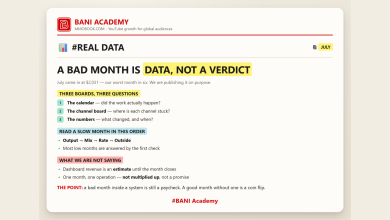
Pick the single task you suspect is eating the most time, and time it properly on the next three videos. Write the numbers where you will see them again, next to the monthly record we argued for in a bad month is data, not a verdict.
Then, with a real number in front of you, go and look at exactly one row of the map. That is the whole method, and it is the difference between buying tools and fixing your week.
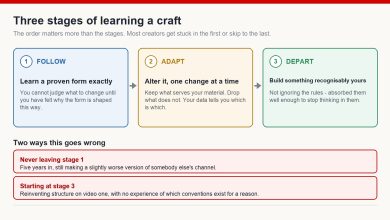
Learning a lot does not make anyone good. Doing a lot does.
If you want the structure that makes that happen, that is what our free challenge is built for: no barrier to entry, a genuine commitment to action, and a refundable commitment fee you get back when you finish. You are not paying for the knowledge. You are betting on yourself finishing, and we hold the stake.
Want the full sixty, sorted by the time each one realistically saves? Comment HOURS on the original reel and we will send the cleaned-up list. Leave your name in the comment and we will reply to you directly rather than to the thread.
For more on building channels for English-speaking audiences, that is what we work on at mmoyoutube.com.