Not Features You Find, Shortcuts You Define: Building Your Own AI Slash Commands
Most people use an AI assistant by asking questions. The people getting consistent work out of it use structured instructions – the same shortcut, every time, so the output lands the same way every time.
That is the idea behind this reel’s set of slash commands: /roast, /brief, /challenge and the rest. And the reel says the most important thing about them out loud, which most lists like this never do: these are not built-in features. There is no hidden /roast button. They are shortcuts you define yourself, once, and then one word does the work of a paragraph.
Which makes this less a list to copy and more a technique to learn – because the best command set is the one built around the instructions you keep retyping.
How a personal command is born
Every useful shortcut goes through the same five steps. Skip the third and the shortcut produces a different result every time you use it.
| 1. Notice → | 2. Name → | 3. Define precisely → | 4. Store it → | 5. Combine |
|---|---|---|---|---|
| An instruction you keep retyping
“Be blunt.” “Cut the padding.” “What could go wrong?” Those are commands waiting to happen. |
One short word
Memorable, and unlikely to appear by accident in normal writing. |
What it does, and what it must not
“Blunt criticism of weak points, no compliments, no rewrite.” The limits matter as much as the action. |
Somewhere it persists
Top of the chat works once. Project instructions work every time. |
Stack two or three
A combination is a whole workflow in one line. |
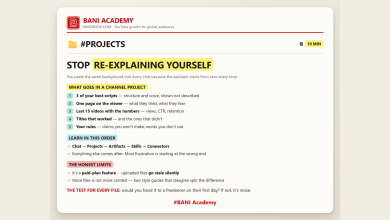
Step four is where most people lose the benefit. Define commands at the top of a chat and they vanish the moment you open a new one. Put the definitions into a project’s standing instructions – the setup in stop re-explaining yourself – and every conversation in that project already knows them.
The set from the reel
The reel promises ten and lists nine – a small miscount of the kind that turns up on almost every graphic. Here are the nine, with the definition worth writing down for each and where it earns its place on a channel.
| Command | Define it as | Use it on a channel for |
|---|---|---|
| /ghost | Write naturally, like a person talking. Short sentences, no stock phrases. | Scripts that will be spoken aloud |
| /roast | Blunt criticism of the weak points only. No compliments, no rewrite. | Your draft script, before you record |
| /matrix | Compare the options side by side in a table, with one row per criterion. | Choosing between video ideas or tools |
| /brief | Cut the padding. The answer first, in as few words as it takes. | Any question where you want a fact, not an essay |
| /focus | Stay on this one topic. Flag anything off-topic instead of wandering into it. | Long sessions that start drifting |
| /challenge | List the risks, objections and blind spots. Do not soften them. | A title that might oversell; a claim you are about to make |
| /expand | Add depth: examples, specifics, how it would actually be done. | An outline section that is too thin to film |
| /systemize | Turn this into a numbered, repeatable process with a checklist. | Anything you have now done three times by hand |
| /steal | Reverse-engineer why this worked: structure, hook, pacing, promise. | A competitor video that outperformed yours |
Two of these deserve a caution. /steal means studying structure, not copying content – the useful output is “why did this work”, not someone else’s script. We set out how to read what a competitor is really doing in surface topic, real audience. And /challenge is only as useful as your willingness to act on what it finds.
The post this came from
Watch the reel
The full command set, plus the power combo. Posted on the BANI Academy page.
Combinations for the jobs you actually do
The reel’s power combo – /ghost + /brief + /challenge for a human voice, no padding, stress-tested – is a good template. Here is the same idea applied to five recurring channel jobs.
| The job | Combination | What comes back |
|---|---|---|
| Final pass on a script | /ghost + /brief + /challenge | Spoken-sounding, tight, with the weak claims flagged |
| Picking the next video | /matrix + /challenge | Options compared on your criteria, and the risks in each |
| Learning from a video that beat yours | /steal + /systemize | Why it worked, turned into a step you can repeat |
| A thin outline section | /expand + /focus | More depth without wandering off the point |
| Before you record | /roast | The problems you would otherwise hear about in the comments |
The third row pairs nicely with the planning work in most stuck channels are not stuck on talent: anything you reverse-engineer once should become part of the system rather than a lesson you relearn every month.
What a good definition looks like
The difference between a shortcut that works and one that drifts is almost always the definition. Compare two versions of the same command.
Weak: “When I say /roast, be critical.” That leaves the assistant to decide how critical, about what, and whether to suggest fixes. You will get a different flavour of criticism every time, and usually a softened one.
Strong: “When I say /roast, list the three weakest points in what I just shared, most serious first. Be blunt. No compliments, no rewrite, no suggestions unless I ask.” Now the output has a shape: three items, an order, a tone, and two explicit exclusions.
Three ingredients make the strong version work. A quantity – three points, one table, under a hundred words – so the answer cannot sprawl. An order, so the most important thing is first. And at least one exclusion, because assistants default to being helpful in ways you did not ask for, and a single “do not” prevents most of it.
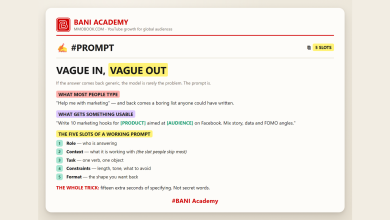
Write every definition with those three and you will rarely need to correct a shortcut after the first week. It is the constraints slot from vague in, vague out, packed into a single word.
Features versus shortcuts
Worth being precise, because the words overlap. A slash command can mean two different things.
In some tools it is a real feature. Developer tools such as Claude Code let you save custom commands as files, so a word genuinely triggers a stored instruction. That is the product-feature sense we listed in twenty Claude terms, explained.
In an ordinary chat it is a convention. Typing /roast works only because you defined it and the assistant is following your definition. Nothing is installed. That is not a weakness – it means you can invent exactly the commands your work needs, and change them whenever you like.
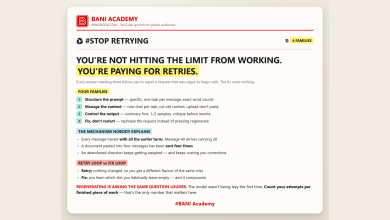
Either way, the principle is the same one behind every good prompt: say precisely what you want, once, instead of approximately what you want, every time. That habit is also what stops the retry spiral we described in you are paying for retries.
Frequently asked questions
Will typing /roast work in a brand-new chat?
Not unless it has been defined there or in standing instructions. Without a definition it is just a word, and the assistant will guess.
Should I copy all nine?
No. Start with the two instructions you type most often, and write your own definitions. Commands you do not use are clutter.
Do these work in other assistants?
Yes. Any capable assistant can follow a defined shortcut, because it is just a precise instruction with a short name.
How long should a definition be?
One or two sentences: what it does, and what it must not do. Longer than that and it becomes a prompt, not a shortcut.
Build your first two commands today
Scroll back through your last few conversations and find the instruction you typed most often. Give it a one-word name, write a two-sentence definition that includes one thing it must not do, and store it where every chat can see it. Then do the same for the second most common one.
That is the whole technique. The reel’s nine are a starting point; your own two will be worth more.
Learning a lot does not make anyone good. Doing a lot does.
If you want the structure that turns that into a habit, that is what our free challenge is built for: no barrier to entry, a genuine commitment to action, and a refundable commitment fee you get back when you finish. You are not paying for the knowledge. You are betting on yourself finishing, and we hold the stake.
Which one are you trying first? Tell us in the comments on the original reel.
For more on building channels for English-speaking audiences, that is what we work on at mmoyoutube.com.