Channel Demonetized for Inauthentic Content: The Recovery Process, Step by Step
First rule: do not touch anything while your hands are shaking
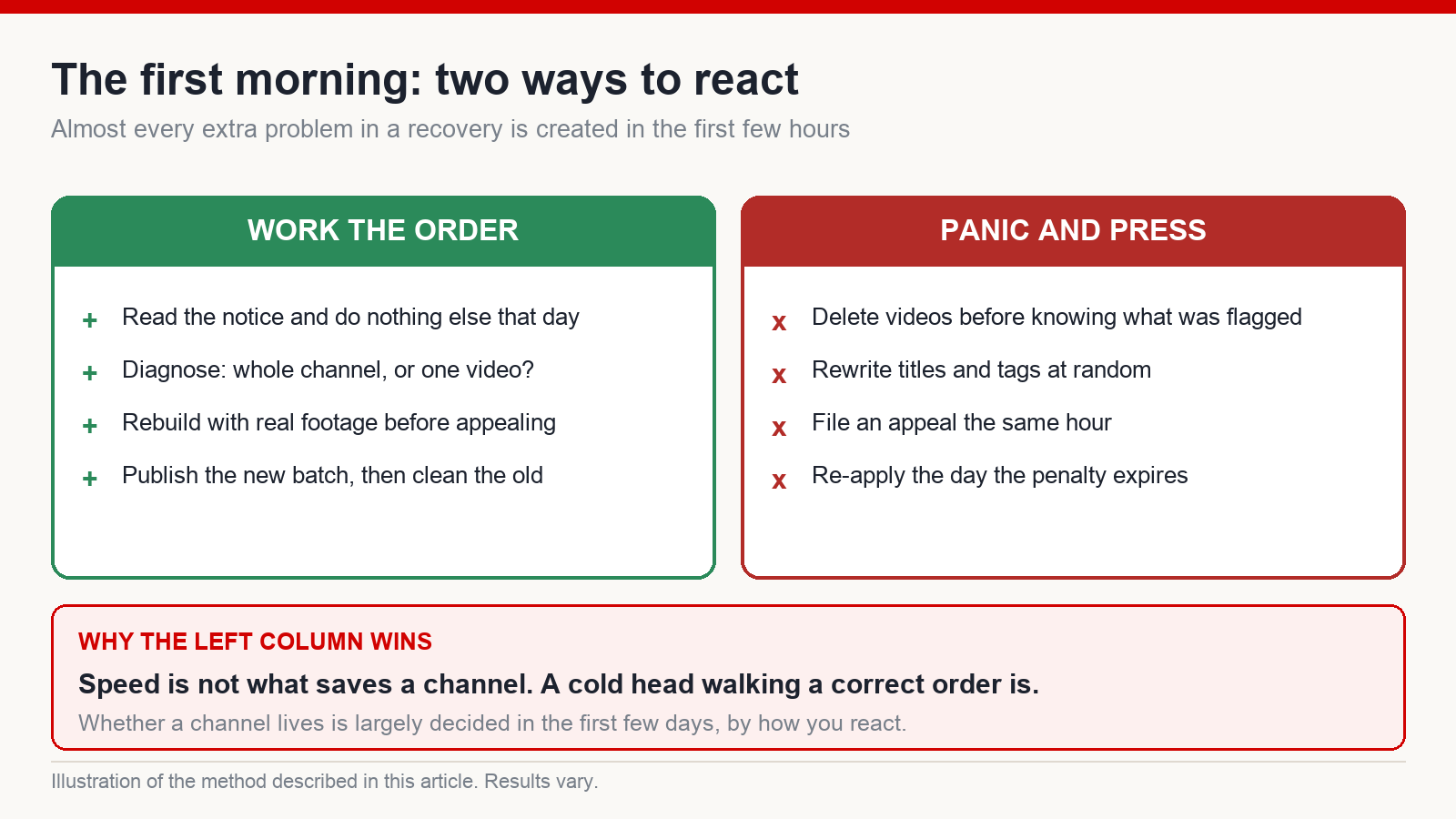
Early morning, and you reach for the phone before you have had a glass of water. An email from YouTube. You are not through the first line before something drops in your chest: monetization has been switched off for inauthentic content. A month of editing, gone. Your hands go cold, and your head has already jumped ahead to fixing it – delete that video, rewrite that title, file an appeal right now to make the feeling stop.
Wait. Sit down first.
The most important thing I can tell you: do not press a single button while your hands are still shaking. Every hurried action right now adds another layer of mess to a mess. What saves a channel is not speed. It is a cold head walking a correct order.
And here is the part that should take some weight off. What hit you is not a personal verdict. It is a broad sweep of machine-generated content, and a great many channels went down in the same wave. There is a storm like this every year in this business – the algorithm rolls over, or a policy tightens. The people who panic and run lose everything. The people who sit down and work the steps are the ones who still have a channel afterwards. I have been through enough of these to be sure of one thing: whether a channel lives is largely decided in these first few days, by how you react.
Let me be straight with you, though. This article hands you the most decent recovery process I know. It does not promise that monetization comes back, and it certainly does not promise the money returns to what it was. Nobody honest promises that. What I can do is walk you through the right order, so that you do not do further damage yourself.
Now breathe. We go one step at a time.
Step 1 – Diagnose: is this the channel or just one video?
Before you fix anything, you have to know which illness you have. I have watched a lot of people see trouble and immediately start rewriting titles, deleting videos and re-tagging at random. Blind fixing usually makes it worse. Diagnose, then act. There are two levels here, a world apart, and plenty of people confuse them.
The serious one is channel-level demonetization, usually carrying the label of inauthentic or reused content. The whole channel is removed from the partner programme. Why does it happen? Almost always because the proportion of genuine content is too low: videos assembled nearly entirely by machine, borrowed imagery, synthetic narration, hardly anything in there that is actually yours. If that is where you are, do not panic, but also do not expect a single button to fix it. Everything below is a process, not an action.
The mild one is the yellow icon – the limited-ads marker sitting next to one video, meaning that video is restricted for advertising while the channel itself is perfectly healthy. That is a video-level problem, not a channel-level one, and it is far lighter. It has its own handling, and I have given it a section of its own further down.
One thing to fix in your head right at the start: the goal of this entire process is to bring the channel into line with the policy, not to find a trick that turns the money back on. Genuine content is the foundation. Every technical step that follows only means anything once that foundation is right.
Assume you have diagnosed the serious version – the whole channel. The next question is not “what do I edit”. It is “how do I rebuild so the platform believes me again”. That is step two.
Step 2 – The reshoot pass: keep the subject, change the visuals to real footage
This is where people go backwards. A channel gets hit for inauthentic content and the first reflex is to delete everything, change niche, start over “somewhere safe”. Do not. That throws away all the subject research you did and the emotional thread your existing audience already knows – when what the platform objected to was never what you talk about. It was what you built the pictures out of.
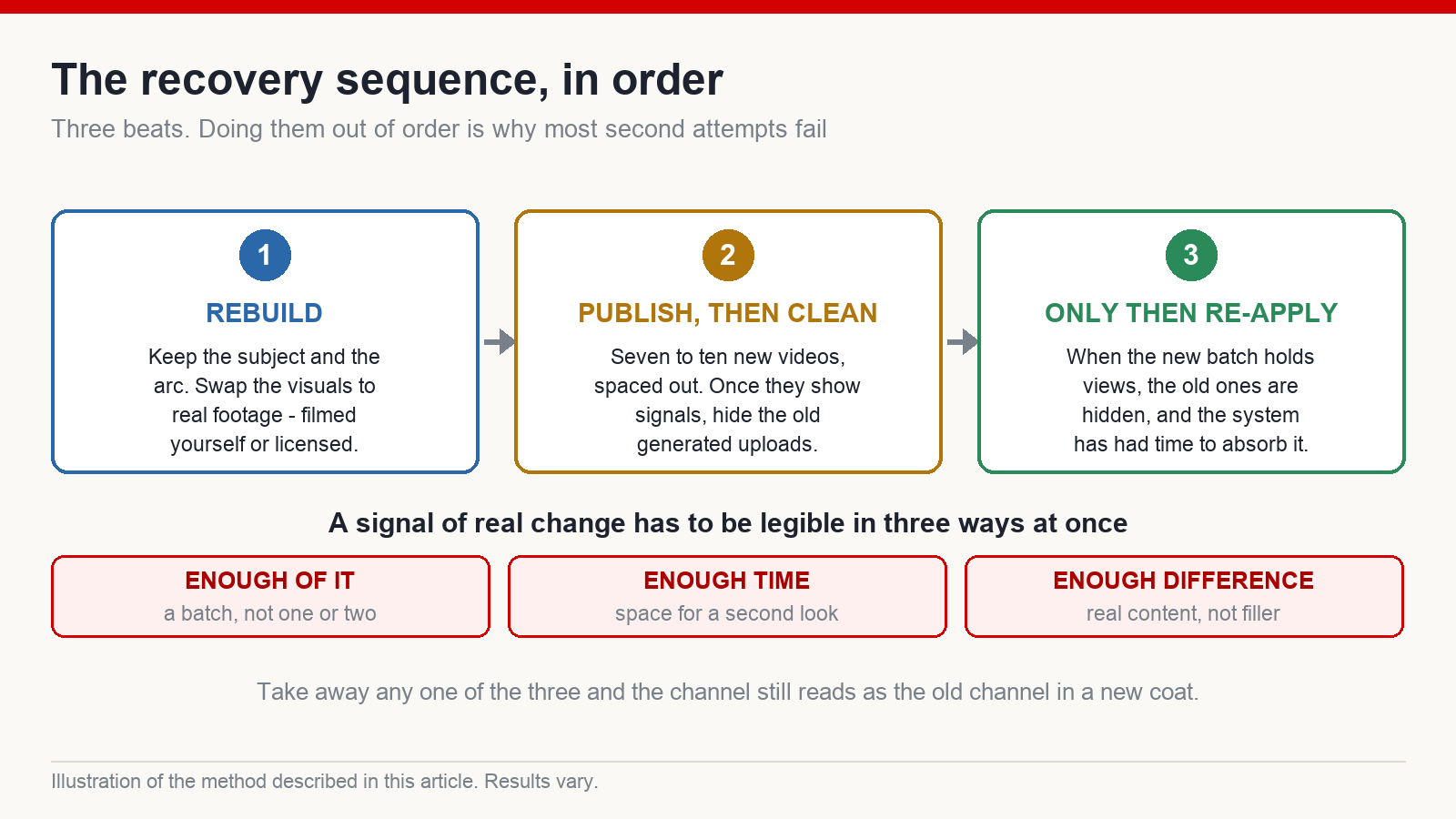
The method I teach is what I call the reshoot pass: keep the subject, keep the emotional arc, keep the soul of the old video, and change only the visuals to real footage. Same story, same narration, but instead of frames a machine produced by the thousand, you fit in real shots, or weave genuine material through. You have to raise the share of real imagery in every video. That is the evidence of actual change the platform needs to see – not a promise in a description box, but something visible in the frame, in the first second.
Getting real footage is easier than you think. The simplest version is picking up your phone: your own hands working, a corner of a cafe in the morning, the road you take to work. No expensive camera required. For subjects you cannot film yourself, buy licensed footage from a stock library – legal, good enough quality, and still real imagery.
This is where a lot of people are confused: being a faceless channel does not mean you have to use machine-generated visuals. Faceless only means your face does not go on screen. The footage can be entirely real. After years of working with creators building for English-speaking audiences, the channels I watch survive every sweep are the ones with a high proportion of real imagery.
Because in the end, genuine content is the ground the channel stands on. A patch gets you through one storm; real footage keeps you standing through the ones after it.
But having real footage is only half. The other half – and this is where most people fall – is when you use that new batch, and in what order.
Step 3 – Publish seven to ten new videos first, then hide the old ones
Here is the mistake I see most: the penalty period ends, and the person immediately hits re-apply. Do not. I understand the urge. You waited three months and your finger itches to press something and be done with it. But hitting it early almost always ends the same way: reviewed, and switched off again. And the second refusal hurts far more than the first, because this time you had put all your hope on it.
When the waiting period ends, the first thing is not the button. The first thing is proof. You have to show that this channel is genuinely different, rather than having sat still counting the days and got back up unchanged. The platform does not listen to your promises. It looks at your new videos.
The correct sequence has three beats. Do them in order, and do not skip.
One – make seven to ten new videos in the reshoot style. The same subject as before, the same emotional arc, but the visuals now switched to real footage as described in the last step. Publish steadily, a few days apart; do not dump ten uploads on one afternoon. This batch is your listening device: does the platform accept them, are they being distributed, are views moving at all. It tells you whether the channel still has a pulse before you put money on the table.
Two – hide the old machine-generated or questionable videos. Wait until the new batch is live and starting to show signals, then go back and clean. The uploads that were almost entirely generated, with borrowed imagery, the ones that got you labelled in the first place – hide them. Afterwards, not before: the new material has to be standing before you pull the old floor out.
Three – only then consider re-applying. Only once the first two beats are properly done.
Why does this order matter so much? Because a signal of real change needs three things at once to be legible: enough of it (seven to ten videos, not one or two for appearance’s sake), enough time for the platform to look again and re-assess the channel, and enough difference – real content replacing filler. Take away any one of them and the signal is blurred, and the channel still reads as the same old channel in a new coat.
Step 4 – Why “I turned it back on and everything died”
So when are you allowed to touch the re-apply button? Plainly: not one day earlier than this, and only when all three signs are present at once. One, the batch of seven to ten reshoot videos has been accepted – meaning they are gathering views and being watched, not lying still on a couple of dozen impressions. Two, you have hidden the old generated or questionable uploads. Three, you have given the system enough time to absorb the new material. Missing one means it is not your turn yet.
And the complaint I hear most often? “I turned monetization back on and everything died.” Unpacking case after case, it is nearly always the same root: applied too early. Not enough new videos, not enough time, not enough real change – the penalty ended and they sprinted at the button while the channel had proved nothing. Reviewed in that state, it goes off again, and that is not unfair.
I think of it like slow-cooking something. If the water never came properly to temperature and you lift the lid early, the inside is still raw. Channel recovery is identical: a process with a rhythm, not a switch. It has to finish cooking, through real videos, published steadily, over enough days.
And I will not hide this from you: nobody decent will promise that following three steps gets your monetization back. The platform does not let anyone guarantee that. What I am confident about is that working to this rhythm pushes your odds as high as they can honestly go, instead of gambling. So which do you choose – waiting another week to be sure, or hitting it early and sitting down to write another appeal?
Handling the yellow icon: metadata first, content second
Everything so far has been the serious case – the whole channel. Now back to the mild one I promised in step one, the thing you will meet almost weekly: one video wearing the yellow icon, telling you it is restricted for advertising. Do not panic. And above all, do not delete the video and reshoot it. Nine cases in ten are fixable, provided you diagnose in the right place instead of guessing.
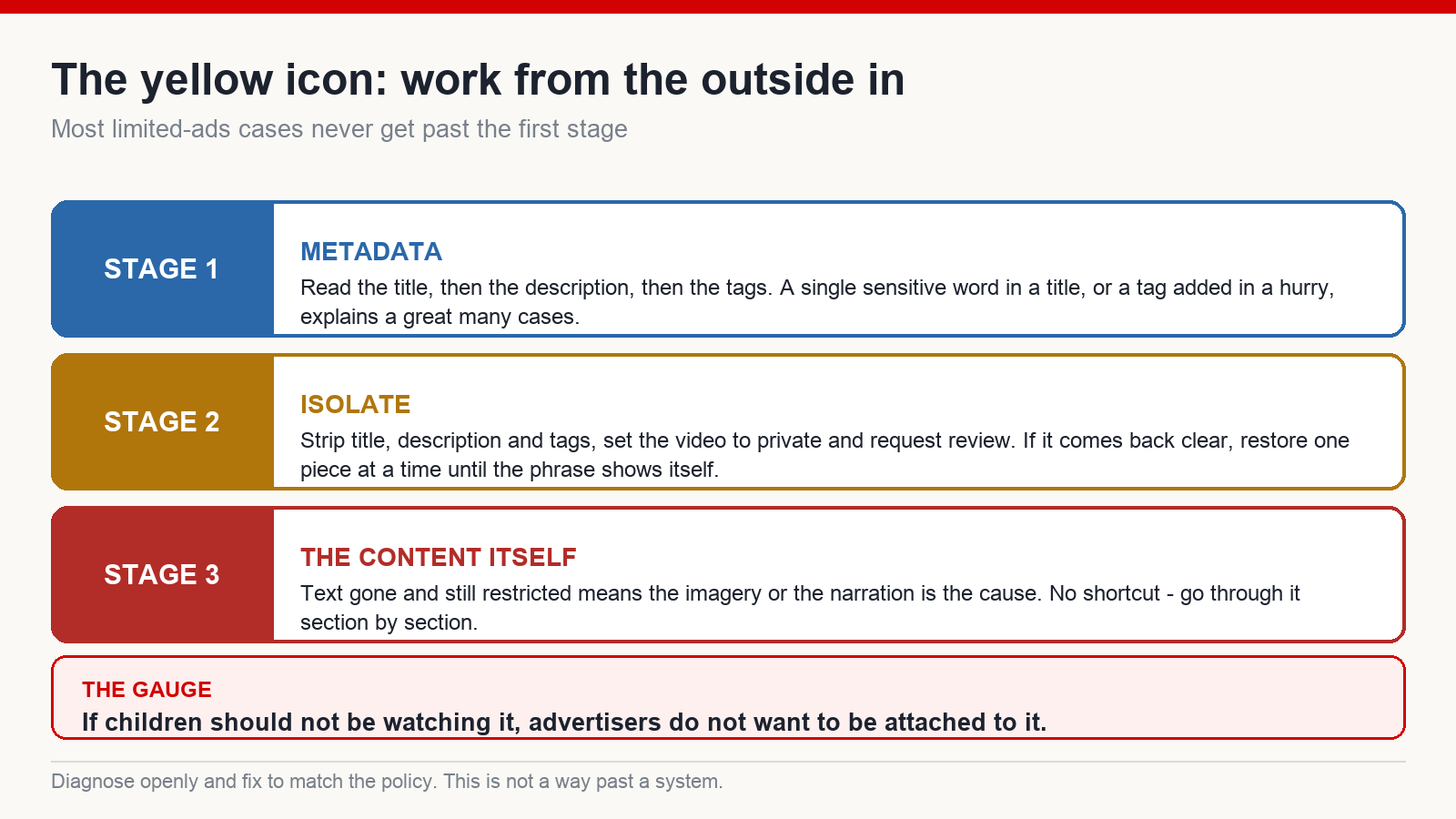
My approach is outside in, easy to hard, in this exact order.
One – look at the metadata first. Read the title, then the description, then the tags. A great many limited-ads cases come down to one sensitive word sitting in the title, or slipping into a tag you added in a hurry.
Two – if you cannot spot it, isolate. Strip the title, description and tags completely, set the video to private and request another review. If it comes back green, the culprit is definitely in the text you removed. Now add it back one piece at a time – restore the title, wait; restore the description, wait – until you find the phrase causing it. Slow but certain, which beats guessing.
Three – if the text is gone and it is still yellow, the problem is almost certainly the content itself, meaning imagery or narration inside the video. No shortcut left. You sit and go through it section by section, looking for the frame or the line that lands in a sensitive area.
What counts as sensitive? Use this as a rough gauge: if it is something children should not be watching, advertisers generally do not want to be attached to it either. Death, blood, violence – these tend to trigger the marker. So prevent it at the edit stage, avoiding both the words and the imagery, rather than fixing it afterwards.
Let me be explicit so nobody reads this the wrong way: this whole procedure is for diagnosing openly and then fixing to match the policy. It is not a trick for getting past a system. If your video is genuinely clean and was flagged in error, this is how you make your case. If the content genuinely has a problem, fix the content – no metadata manoeuvre will rescue a video that should not have been monetized in the first place.
When to abandon the channel – and why integrity is the durable route
There is something honest I have to say even though it is unpleasant: not every channel can be saved. Knowing when to let go is a skill too, and it tends to be the one people learn last, because letting go stings.
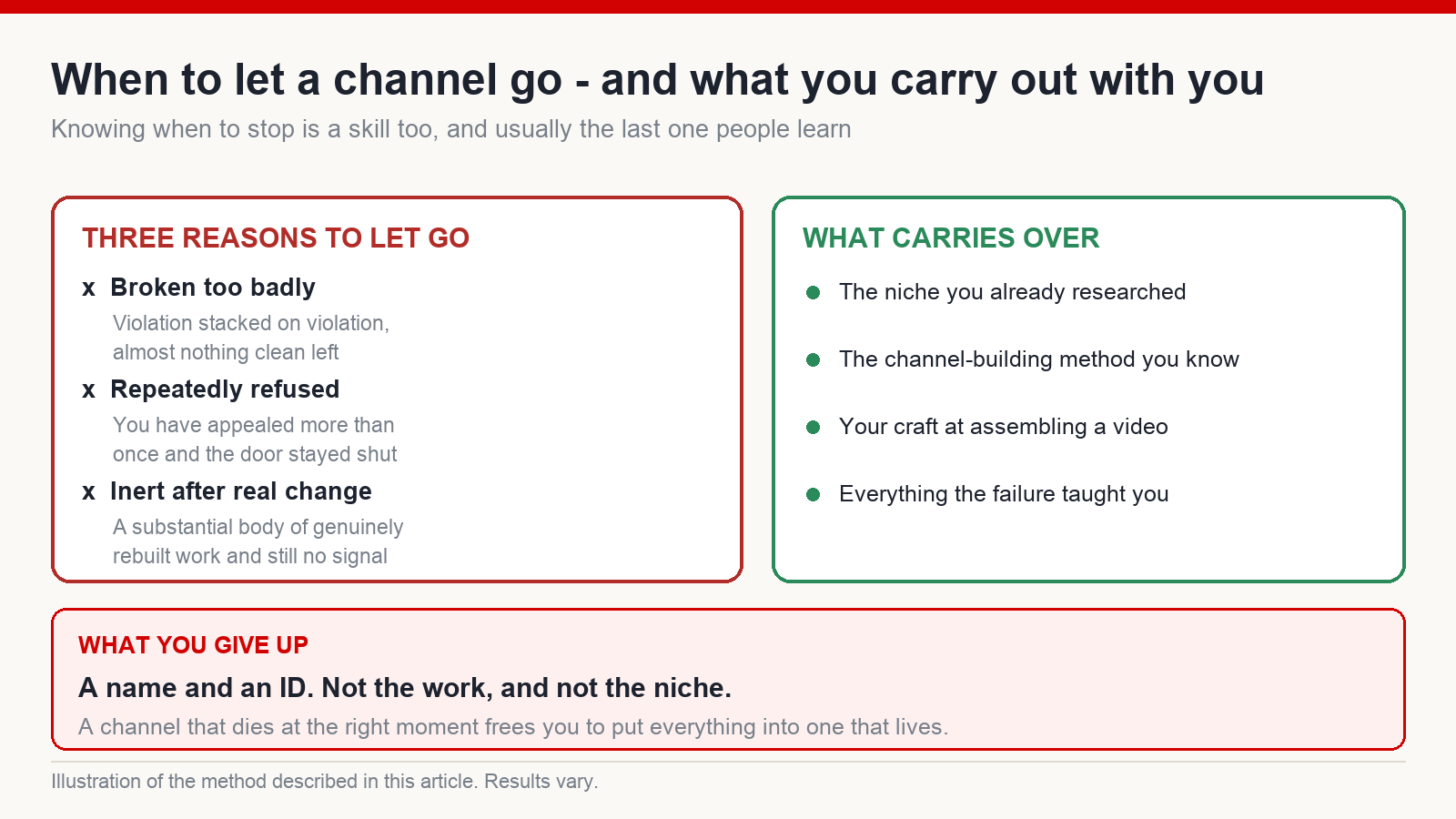
You are allowed to abandon a channel in one of three situations. One, the channel is broken too badly – violation stacked on violation, with almost nothing clean left to salvage. Two, you have appealed repeatedly and the door has stayed shut. Three, you have built up a substantial body of genuinely changed work and the channel is still completely inert, with no signal at all. Past that point, continuing is pouring water into a dry well.
But listen carefully here. Abandoning a channel is not abandoning the work, and it is certainly not abandoning your niche. What you give up is a name and an ID. The niche you chose, the channel-building formula you now know by heart, the craft of assembling a video – you keep all of it, carry it to the new channel and build again, properly, from zero. There is a line I hold onto: fail early and you succeed earlier. A channel that dies at the right moment, freeing you to put everything into one that lives, is a clear-headed move rather than a surrender.
And here is where I want you to stop for a second. Every step in this article – diagnosing the yellow icon, the reshoot pass, publishing a new batch before touching the button – all of it is only a temporary patch if the foundation underneath is still filler assembled in a hurry. The thing that survives every cleanup, this year and the ones after, is exactly one thing: real content, made properly, inside the platform’s rules.
Do you want to spend your working life chasing patches, opening your inbox every morning with your stomach tight? Or do you want to build a channel you can sleep next to?
One last plain sentence: nobody honest will promise you that monetization comes back. The only thing I am sure of is that real content lets you sleep at night, and lets you keep going for a long time.
How long before I can appeal a channel demonetized for inauthentic content?
After a rejection the platform generally makes you wait a set period before you can submit again – check the current wait in your own account, because it changes. But do not simply count down and then hit the button. Use the waiting period to build seven to ten reshoot videos with real footage. Applying once the channel is genuinely different is what gives you a real chance.
Does a faceless channel have to use machine-generated visuals?
No. Faceless only means your face is not on screen. The footage can be entirely real – shot on your own phone, or bought from a licensed stock library. A high proportion of real imagery is exactly what carries a channel through these sweeps.
I re-applied and my views collapsed. Why?
Nearly always because it was too early: not enough new videos, not enough time for the system to absorb the change, not enough genuine difference. The penalty period ending does not mean the channel has been trusted again. Wait until the new batch is holding views steadily, then apply.
What is the difference between the yellow icon and channel demonetization?
The yellow icon is a single video restricted for advertising while the channel stays healthy – you fix it by working through metadata first, then the content. Channel demonetization is far heavier: the whole channel is removed from the partner programme and has to be rebuilt with real footage across the whole process above.
Should I delete my old videos immediately?
No – hide them, and do it after your new batch is live and showing signals, not before. Pulling the old floor out first leaves the channel with nothing standing on it while the platform is looking.
This article describes personal experience and a personal process, not a commitment from YouTube. Recovery outcomes vary case by case, and there is no method that guarantees monetization is restored or that any income follows. Platform policies change, so always check the current rules in your own account before acting.
Written by Phuc, a YouTube trainer who has been building on the platform since 2017 – nine years – working mainly on faceless channels aimed at English-speaking audiences.
The full step-by-step system I run with the creators I work with lives at mmoyoutube.com.



