Editing For Retention: How To Keep A Faceless Video Moving
Beginners believe the software is the barrier. That you need a professional non-linear editor, cinematic colour work and motion graphics before a video can do well.
After years of making videos and watching a lot of other people make them, the pattern is the opposite of what you would expect. Plenty of faceless channels with very large audiences are cut in a free consumer editor on a laptop. What separates them is not the toolset. It is whether the video keeps moving, and whether the viewer still wants to be there ninety seconds in.
So this is about pacing rather than software: what to change, when to change it, and which widely-repeated editing advice is actively wrong.
The thing beginners optimise, and the thing that matters
New editors spend their hours on transitions, animated titles, film-look colour and effects. Meanwhile the question that decides the video’s fate goes unasked: after thirty seconds, is anyone still watching?
The platform has no idea how long you spent in the timeline. It sees watch time, the shape of the retention graph, click-through rate and engagement. A video that loses most of its audience early does not get distributed further, however carefully it was graded.
That reframes what editing is for. It is not decoration. It is attention management.
Cut to the audio, not to the pictures
The most common structural mistake is assembling visuals first and dropping narration on afterwards. The result is always the same: pictures that miss their line, a story that stutters, emotional beats that land in the wrong place.
Reverse it. Script, then voice track, then visuals timed to that track. Once the audio exists you can hear exactly where the emphasis falls, where a strong image is needed, where the pace should quicken and – importantly – where there should be a moment of nothing at all.
Silence is an editing tool. A beat with no narration before an important line does more for attention than any transition effect.
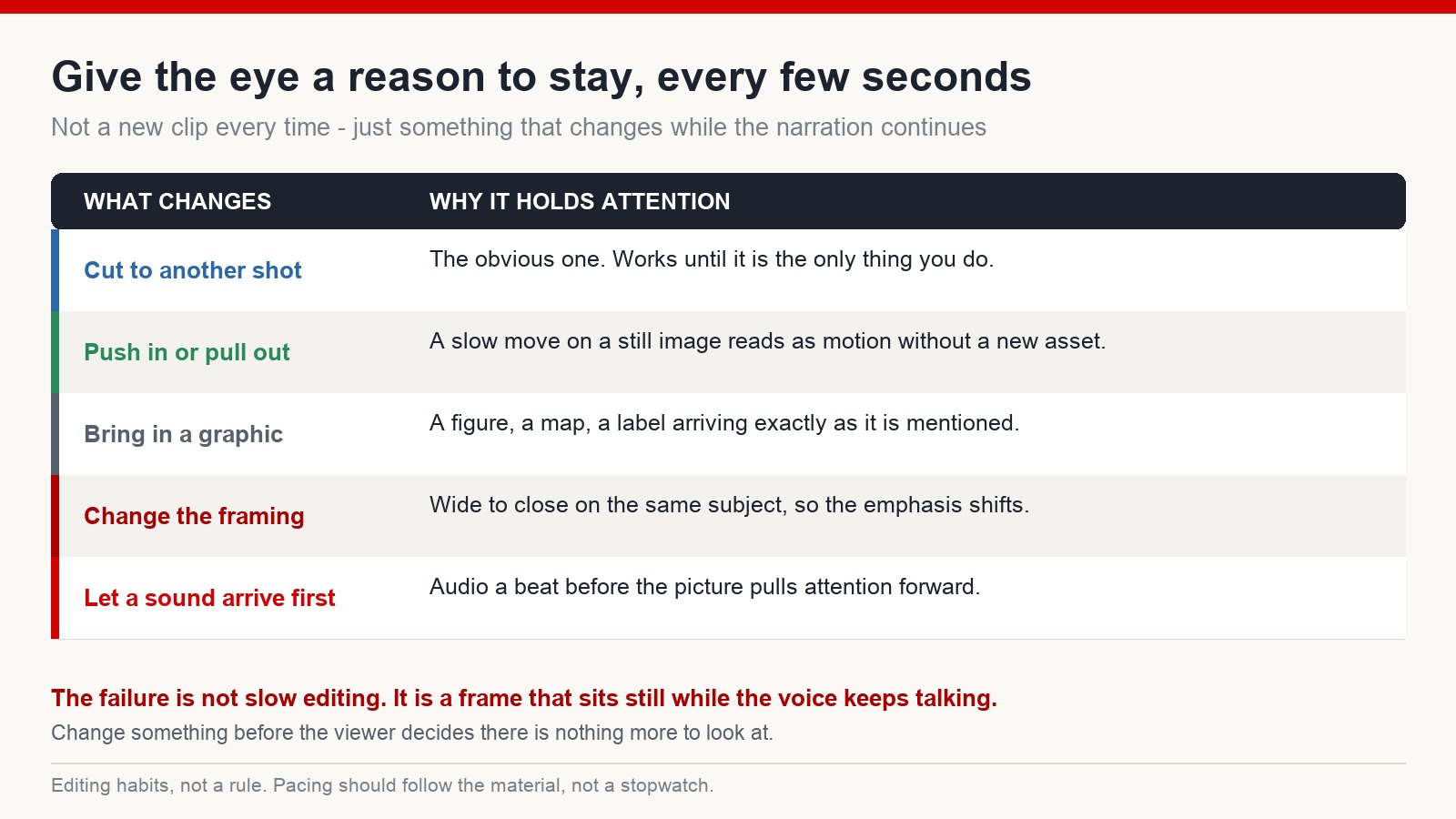
Something should change every few seconds
Static frames are where retention graphs collapse. A single image held under thirty seconds of narration tells the viewer, quite clearly, that there is nothing more to look at here.
“Change” does not always mean a new clip. It can be a slow push in on a still image, a shift from wide to close on the same subject, a graphic arriving exactly as it is mentioned, or a sound landing a beat before its picture. Any of those give the eye a reason to stay.
This applies especially to documentary, explainer and compilation formats, where the narration carries the information and the visuals are there to keep you present while it does.
Say it, show it
If the narration says the snake moves towards its prey, the screen should show that, at that moment. When picture and audio agree, the viewer stops doing translation work and just follows the story.
This sounds obvious and is constantly violated – usually because the right shot was not available and something roughly related got used instead. If you cannot show the thing, it is often better to cut the line than to show something that contradicts it. Viewers notice mismatches even when they cannot name what is bothering them.
About the “five-second rule”
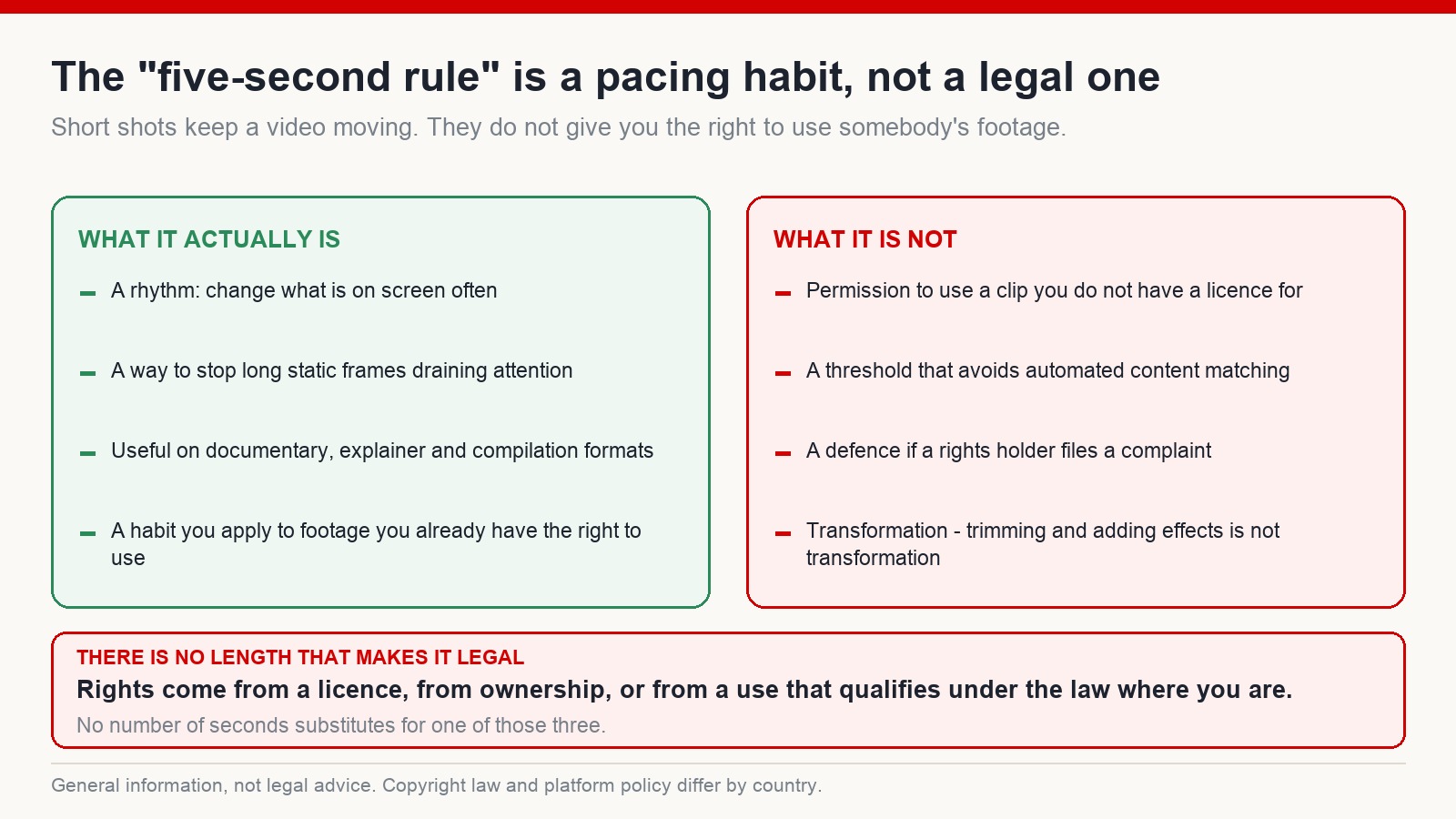
You will see this repeated everywhere: keep every clip under five seconds and you are safe from copyright problems.
To be as clear as possible – that is not true, and believing it has cost people their channels. There is no clip length that converts footage you do not have rights to into footage you do. Automated content matching identifies short excerpts routinely. Trimming a clip and adding effects is not transformation in any sense a rights holder or a court would recognise.
Cutting shots short is a pacing technique. It makes videos more watchable, and it is worth doing. It is something you apply to material you already have the right to use: footage you shot, properly licensed stock, free libraries with clear commercial terms, generated material whose terms allow it, or graphics you made.
Rights come from a licence, from ownership, or from a use that qualifies under the law where you are. No number of seconds substitutes for one of those three.
Small fixes that make a video look finished
Frame everything consistently. Material from different sources arrives at different aspect ratios, and untreated it produces black bars, awkward crops and shots that do not match. A blurred background fill, a canvas adjustment or a deliberate reframe takes seconds and removes most of the amateur look.
Keep the narration on top. Music is support, not a co-lead. Bring it well down under the voice, change the track when the emotional register changes, and use something with more energy at the opening. A video with narration and nothing else feels thin; a video where music competes with narration is worse.
Add sound effects. They do more for the sense of being somewhere than any visual effect. A bird on screen with a bird call, wind under moving trees, a machine with its own mechanical texture – the footage stops being a slideshow.
Finished beats perfect
The most common way a channel fails is not bad editing. It is not publishing.
People polish one video for weeks, keep finding things to adjust, and never ship it. Meanwhile the channels that improve are publishing, reading their own retention data and fixing the specific thing that went wrong last time. That feedback loop is the entire mechanism, and it does not start until something is public.
The first video will not be good. The twentieth will be noticeably better. By the fiftieth there is a recognisable style, and somewhere past that you actually start understanding your audience rather than guessing at them.
Frequently asked questions
Do I need professional editing software?
No. A free consumer editor with automatic captions, basic motion and quick export handles everything described here. Professional tools are more capable, but capability is not what is limiting most channels.
Does retention matter more than production polish?
In most cases, yes. A video people finish tends to travel further than a heavily-produced one they abandon early. Polish helps at the margin; retention decides the distribution.
Can I use short clips from other people’s videos?
Only if you have the right to – a licence, ownership, or a use that qualifies under the law where you are. Shortening a clip or adding effects does not create that right. This is general information rather than legal advice, and the rules differ by country.
How long should a single shot stay on screen?
Long enough to be understood, short enough that it is not still there when the viewer has finished reading it. Let the material set the pace rather than a stopwatch – but if you are unsure, you are almost certainly holding it too long.
The question to ask in the timeline
Next time you open an edit, do not ask which effect to add. Ask what happens in the next ten seconds that makes someone want to keep watching.
That single change of question improves editing faster than any tutorial. If you want a structured way to build the rest of the process around it, the training system at mmoyoutube.com works through it step by step – results vary, and consistency does more work than any technique here.