Everything That Should Be Finished Before You Hit Publish
You can spend three weeks on a video and lose most of what it was worth in the ten minutes before you publish it. Not because there is a trick you missed, but because the upload screen asks you for eight things and you were tired, so you typed a title, picked whichever thumbnail was already exported, pasted a description you wrote for a different video, and pressed the button.
Everything on the upload screen changes how the first day goes, and all of it can be finished in advance. This is the checklist I work through before a video is allowed anywhere near publishing – built over years of making faceless videos for English-speaking audiences, and mostly built out of mistakes.
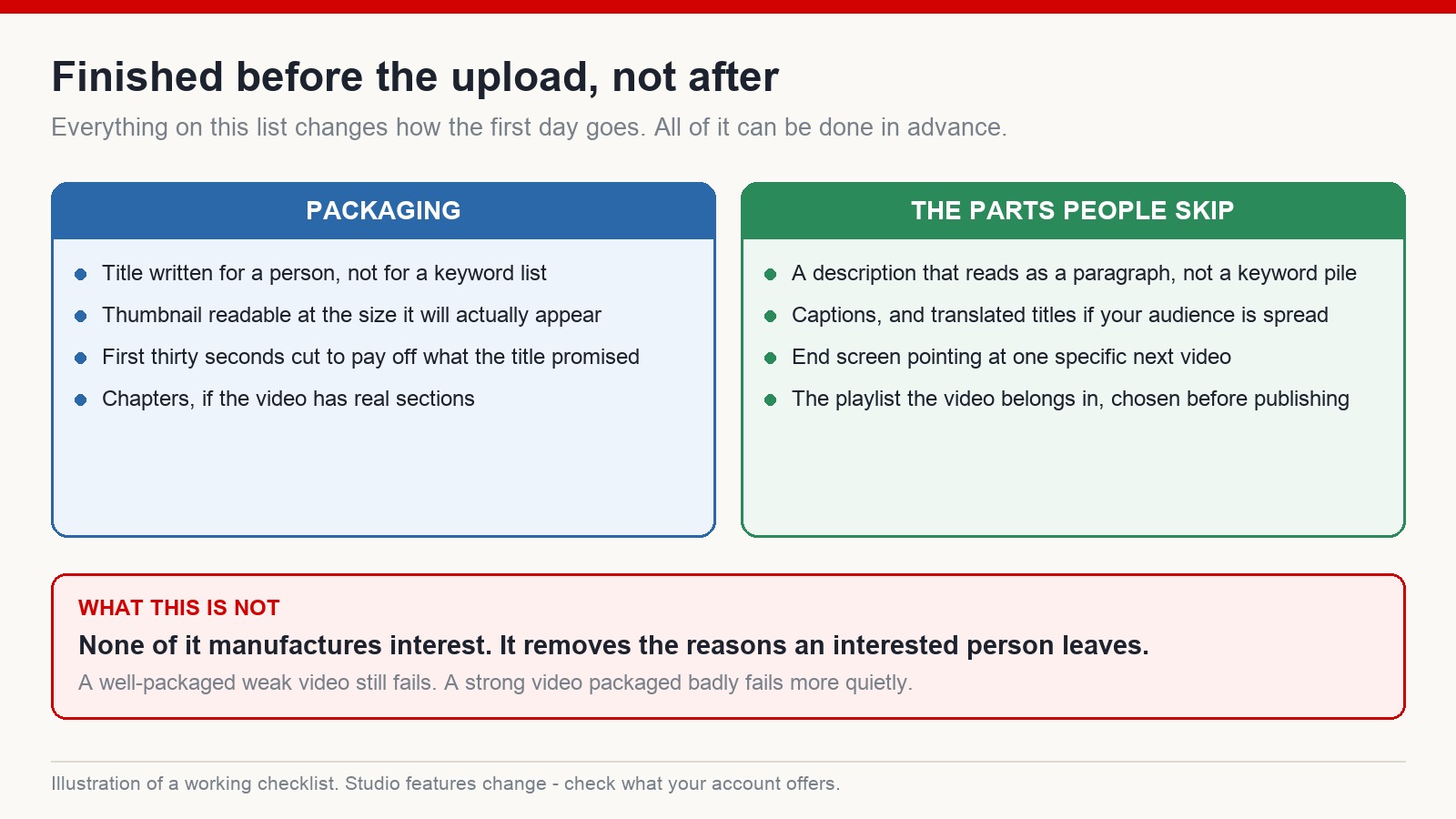
One thing to be clear about first: none of this manufactures interest. It removes the reasons an interested person leaves. A weak video that is beautifully packaged still fails. A strong video packaged badly fails more quietly, which is worse, because you never find out it was strong.
The packaging half
The title, written for a person. Not a string of keywords with a colon in the middle. The test I use: would somebody say this sentence out loud to a friend? If your topic has a phrase people genuinely search for, that phrase belongs in the title – but it belongs inside a sentence that promises something, not in a list.
The thumbnail, checked at real size. Look at it on a phone, in a feed, next to other thumbnails, not at full width on your monitor. Most thumbnails that fail do so because they were designed at a size no viewer will ever see them at. Four words maximum, and only if the words add something the image cannot.
The first thirty seconds, cut against the promise. Whatever the title and thumbnail led someone to expect, the opening has to acknowledge it immediately. This is an editing decision, not an upload decision, but it belongs on this list because it is the last thing worth checking before publishing. If your opening spends twenty seconds on an introduction, the packaging just wrote a cheque the video will not honour.
Chapters, if the video genuinely has sections. They help people find their way back to a part they wanted. On a video that flows as one piece, they do nothing, and inventing sections to fill them out makes the video look like a list of headings.
The half almost everyone skips
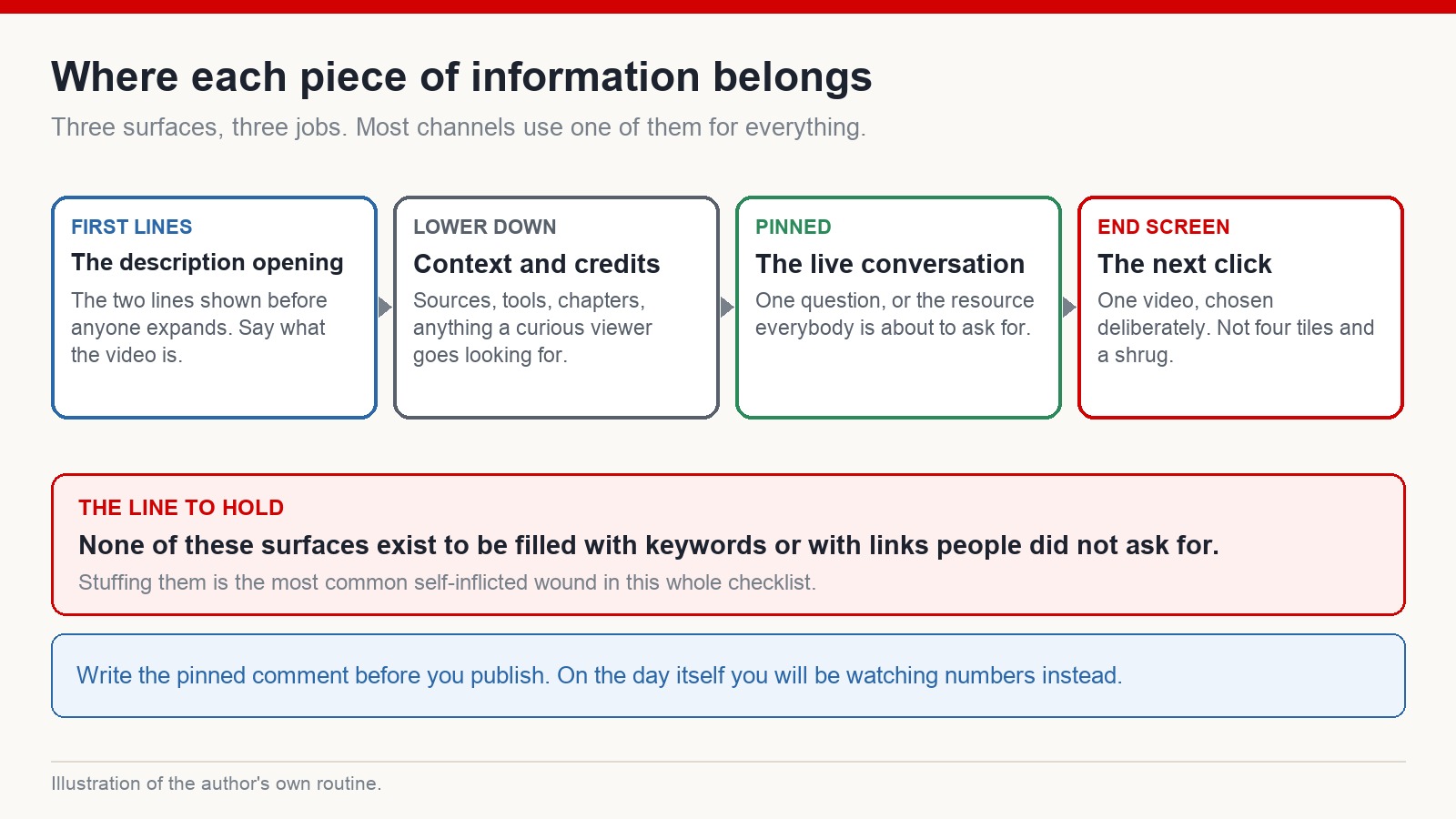
A description that reads like writing. The first two lines are what people see before expanding, so they carry the job: say what the video is and why somebody should stay. Underneath, put what a curious viewer would go looking for – sources, tools you used, links you actually referred to. What does not belong there is a pile of keywords, which helps nobody and reads as exactly what it is.
Captions. Automatic ones are usually available and usually mediocre; correcting them takes a few minutes and makes the video usable by people watching with the sound off, which is more of your audience than you think. If your audience is spread across countries, translated titles and descriptions are worth the effort on the videos that are already performing.
An end screen pointing at one video. Choose it deliberately – the video that a person who just watched this one would most plausibly want next. Four tiles and a shrug is not a choice, it is an abdication.
The playlist, decided before publishing. Playlists are how a video stops being a dead end. Adding it later works, but later usually means never.
Write the pinned comment before you publish
This is the item I would defend hardest, because it is the one that seems least important and is not.
On the day itself you will be watching numbers. You will not be in the right state of mind to write a good opening line for the comment section. So write it in advance, as part of finishing the video: one question worth answering, or the thing everybody is about to ask for, in a sentence.
What it should not be is a request for likes, or a link to something nobody asked about. The pinned comment is the top of a conversation. Use it to start one.
Where AI helps and where it stops
Tools are genuinely useful in this part of the process: generating title options to react against, drafting a description you then rewrite, tidying caption text, suggesting the questions a viewer might have. All of that is real time saved.
Where it stops is judgement. A generated title reads as generated – slightly too balanced, slightly too fond of colons. A generated description says nothing a person needed. And mass-generated replies to comments are worse than no replies at all; identical automated responses at scale fall under comment spam, quite apart from the fact that viewers can tell. Use the tools to get to a draft faster, then make it sound like you.
Scheduled or straight out
Scheduling matters less than people claim, but it does one useful thing: it stops you publishing at two in the morning when the video finally renders and you are past judging anything. Publish when you can be around for the first hour or two, because that is when answering comments properly is easiest and most useful.
Beyond that, no publishing time is going to rescue a video, and chasing an optimal hour is a way of feeling productive while avoiding harder questions.
Then read what happened, honestly
After publishing, the temptation is to keep doing things to the video. In my experience nothing done after publication has ever rescued one. The levers were all pulled beforehand: topic, packaging, opening.
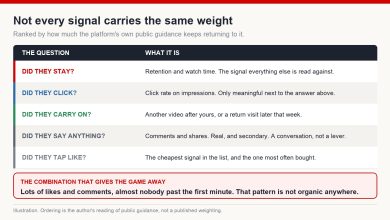
What is worth doing is reading the result properly. Look at where retention drops and watch that section of your own video. Look at what proportion of impressions turned into clicks, next to whether those people stayed. Look at where the traffic came from. Then compare all of it against the median of your last ten uploads on that channel rather than against a benchmark from someone’s article, because your topic, your length and your audience are not theirs.
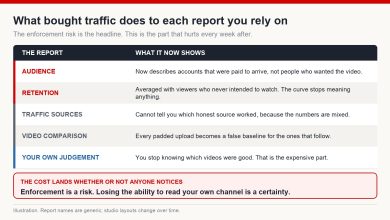
And one line that belongs in anything written about launch day: the fix for a quiet video is never manufactured traffic. Bought views, traded views, comments from accounts you control – all of it is fake engagement under YouTube’s spam and deceptive practices policy, with metrics removed, videos taken down and channels ended in repeat cases. It also mixes fake viewers into every report you would otherwise use to work out what went wrong, which means you lose the ability to diagnose the video you were trying to save.
How much time should the upload screen take?
Almost none, if the work was done beforehand. That is the point of doing it beforehand.
Do keywords in the description help?
A clear description that describes the video is useful. A block of keywords is not, and it makes the description worse for the humans reading it.
Does publishing time matter?
Less than people think. Being available to answer comments in the first hour or two matters more than the specific hour on the clock.
Should I use automatic captions?
Use them as a starting point and correct them. Uncorrected captions on a technical topic are frequently wrong in ways that are worse than none.
What if the video is quiet after a day?
One day is not enough information. Leave it alone, look at retention rather than the view counter, and put what you learn into the next upload rather than into pushing this one.
The short version
Finish the packaging, the description, the captions, the end screen, the playlist and the pinned comment before the upload screen ever appears. Publish when you can be present. Then read the numbers against your own recent history and let the video be what it is. The work that decides the first day happens before the button, not after it.
If you want the rest of the process for building a faceless channel aimed at an English-speaking audience, that is what we work through at mmoyoutube.com.