Your Channel Name Can Change. Your Channel ID Cannot.
There is a version of this story I hear almost every month. A creator spends weeks on niche research, buys a microphone, writes twenty scripts, designs a logo — and then types a channel name into the sign-up form in about ten seconds because the form will not let them continue without one. Four months later they search that name on YouTube and find a wall of channels using almost exactly the same words. Nothing about their videos is wrong. The label on the outside just is not doing its job.
I have been building YouTube channels since 2017, mostly faceless channels aimed at English-speaking audiences. What follows is not a list of naming ideas. It is the check I run after a name has been chosen and before anything gets published, plus the part almost nobody knows about: the identifier underneath the name, the one that never changes no matter how many times you rebrand.
Why the Check Has to Happen Before Video One
A name that is crowded costs you in ways that are hard to see from the inside. A viewer who liked one video cannot reliably find you again. Someone recommending you to a friend sends them to a different channel. Half the recognition you earn quietly leaks to whoever owned the name first. And every one of those costs grows as the channel grows, which is the opposite of how a problem should behave.
The check below takes about ten minutes. A rebrand takes months and costs you the audience habits you had already built.
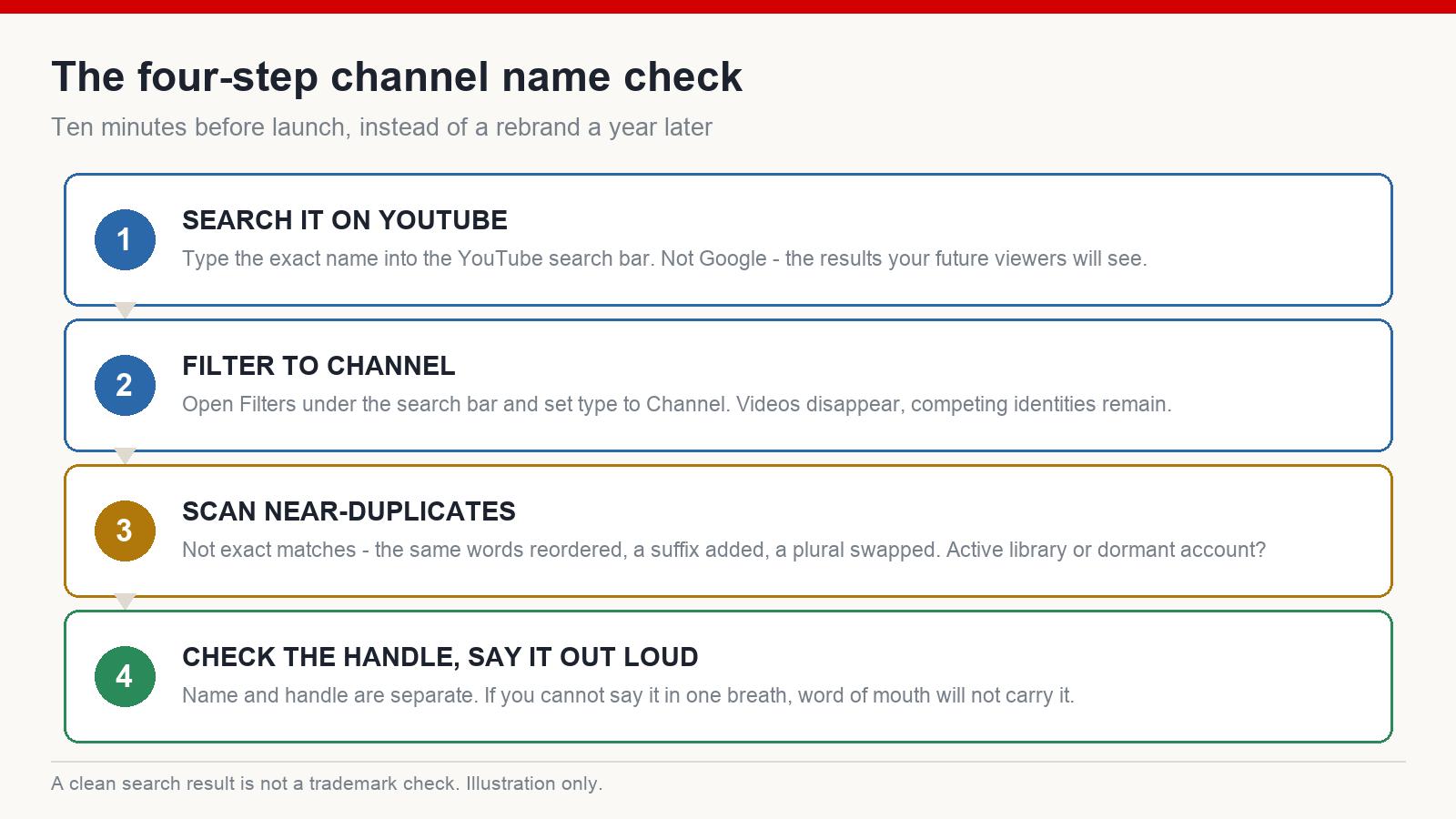
The Four-Step Name Check
Step 1 — Search the name on YouTube itself
Not on Google, not in a domain checker. Type the exact name into the YouTube search bar, because YouTube’s own results are what your future viewers will see when they go looking for you.
Step 2 — Filter the results down to channels
Open the Filters control under the search bar and set the type to Channel. This strips out videos and leaves you with a clean list of the channel identities competing for those words. It is the single most useful ten seconds in this whole process, and most people never click it.
Step 3 — Scan for near-duplicates, not exact matches
An exact match is obvious. The dangerous cases are the near-misses: the same two words in a different order, the same name with a suffix, a singular where you have a plural. On a desktop browser, use your browser’s find-on-page function to search for the distinctive word in your name and see how many times it appears down the list.
What you are looking for is not “does anyone else use this” — in a mature niche, someone always does. You are looking for whether an active, established channel already owns those words. If a channel with a real library and recent uploads holds the name, choose a different direction. If the only matches are dormant accounts with two videos from years ago, the risk is small.
Step 4 — Check the handle and say the name out loud
The name and the handle are separate things. A name can be taken while a workable handle is free, and the reverse also happens. Check whether the handle you want is available before you commit, because a handle that does not match your name is a small friction you will pay for on every mention, every collaboration and every link.
Then say the whole thing out loud, once. If you cannot say it in one breath, or if you have to spell it for the other person, the name is going to be hard to pass along by word of mouth — which is a real distribution channel, not a bonus.
What This Check Does Not Cover
Two honest limits. First, a YouTube search tells you nothing about trademarks. If your name is close to a registered brand in your category, a clean YouTube search will not protect you, and this is not something to guess at — that is a question for someone qualified in your country.
Second, availability is not the same as quality. A name can be completely unused and still be forgettable, unpronounceable or impossible to grow into. The check filters out collisions. It does not tell you the name is good.
The Identity Underneath the Name
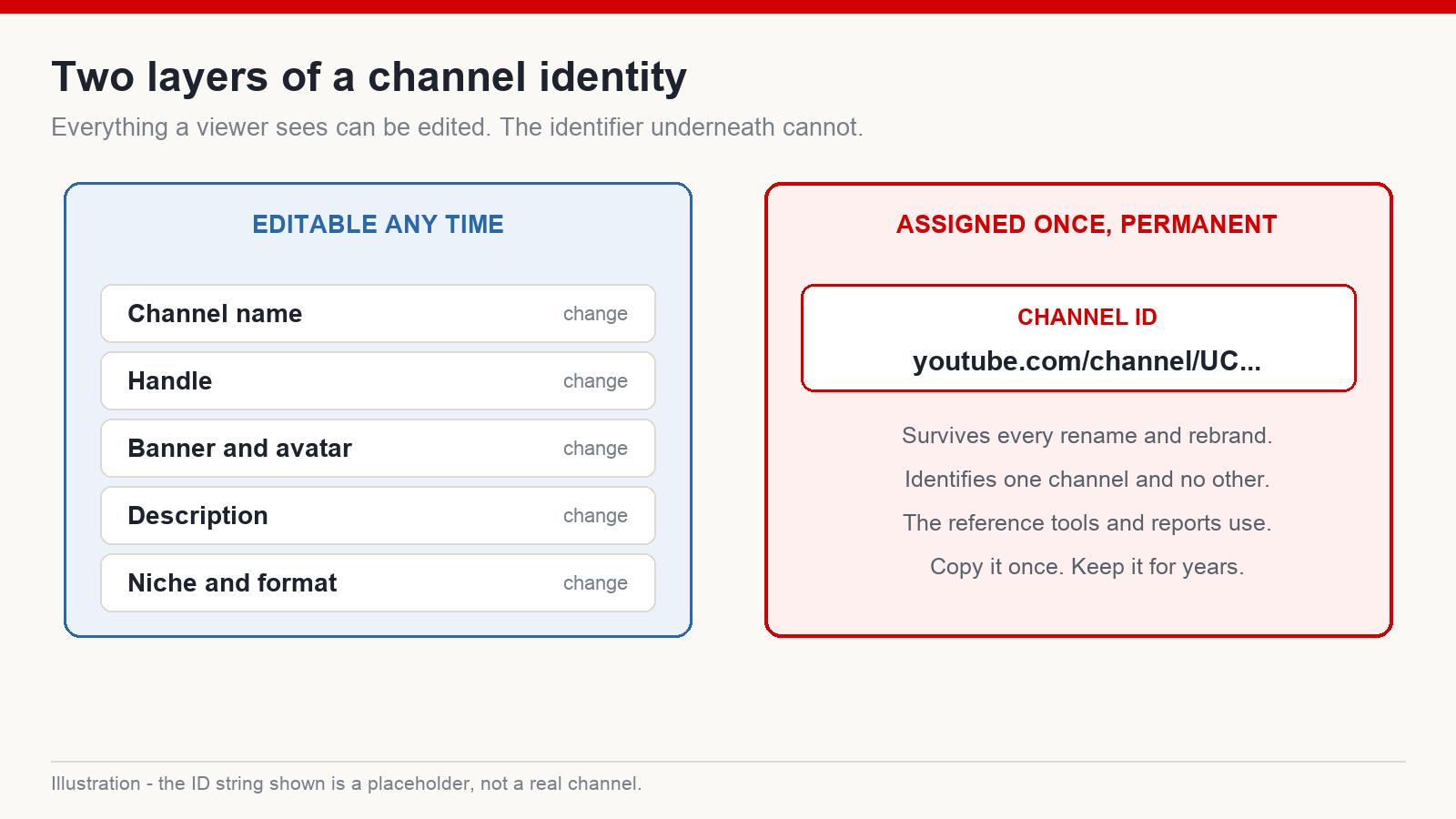
Here is the part that surprises most creators. The name on your channel is a label. The actual identity of a YouTube channel is a fixed string that looks like this:
youtube.com/channel/UCxxxxxxxxxxxxxxxxxxxxxx
That is the channel ID. It is assigned when the channel is created and it does not change. Rename the channel, change the handle, redesign the banner, rewrite the description, pivot the entire niche — the ID stays exactly what it was. Every one of those other things is editable. This one is not.
Where to find yours
The reliable route is through your channel settings, in the advanced section, where the channel ID is shown as a plain string you can copy. You can also see it in the URL when a channel is addressed by ID rather than by handle. Copy it once, and keep it somewhere you will find it in two years.
Why it is worth knowing
Practical reasons, all of them boring until the day they are not:
- Unambiguous reference. Analytics tools, research tools and any script you write against the API identify a channel by ID. A name search returns the ten channels called something similar. The ID returns exactly one.
- Impersonation. If someone copies your name and branding, the ID is what distinguishes the real channel from the copy in every report and every conversation.
- Records that survive a rebrand. Notes, spreadsheets and partner agreements written against a channel name go stale the moment you rename. Written against the ID, they do not.
- Multiple channels. Once you run more than two or three, names blur together in your own head long before they blur in the audience’s. The ID column is what keeps a channel sheet honest.
One habit I would not repeat
Some creators stuff their channel name and channel ID into the file metadata of a video before uploading, on the theory that it strengthens some identity signal. I have seen this recommended a lot. I have never seen evidence that it changes distribution, and I would treat any confident claim about it with suspicion. Consistency in the places viewers and systems actually read — your channel description, your video descriptions, the site or profile you link out to — is worth doing. Metadata rituals are worth about as much as the time they cost.
Keep a Channel Identity Sheet
When a channel is new this feels like unnecessary admin. By the third channel it is the difference between a business and a pile of logins. One row per channel:
- Channel name, written exactly as it should always be capitalised
- Handle
- Channel ID
- The niche in one sentence
- The email address the account is attached to
- Launch date
That sheet answers the questions that otherwise eat an afternoon: which account owns this channel, is this the one we renamed, which of these two similar channels is ours.
Is It Too Late to Change the Name?
Renaming is allowed and it is not fatal. What it costs is recognition, and the size of that cost tracks how much recognition you have built.
Early on — a channel with a small subscriber base and a short library — a rename is cheap. Very few people have formed a memory of the old name, and the ones who have will not be confused for long. Once a channel has an audience that arrives by searching your name directly, a rename means a period where your own viewers cannot find you, and it is worth planning rather than doing on a whim: announce it, keep the visual identity stable through the transition so the channel still looks familiar, and change one thing at a time.
What does not change, in either case, is the channel ID. Old links pointing at the channel by ID keep working. That is worth knowing before you talk yourself out of a rename you actually need.
Frequently asked questions
Does renaming my channel reset anything? Your videos, subscribers and history stay with the channel. The main cost is recognition — people who knew you by the old name have to relearn the new one.
Can two channels have the same name? Yes. Names are not unique on YouTube, which is exactly why the search-and-filter check matters and why the channel ID exists.
Is the handle the same thing as the channel ID? No. A handle is a chosen, changeable address. The channel ID is assigned once and permanent.
Should the name contain a keyword? It can help a viewer understand the topic at a glance, but treat it as positioning rather than a ranking mechanism. A name that is hard to remember costs more than a keyword in it gains.
The Short Version
Before you publish anything: search the name on YouTube, filter to channels, scan for near-duplicates rather than exact matches, and check the handle. Then find your channel ID and write it down, because it is the one part of your channel’s identity that no future decision can alter. Ten minutes now, or a rebrand later.
If you are building faceless channels for English-speaking audiences and want the rest of the setup routine in one place, that is what I write about at mmoyoutube.com.