Video File Metadata Before Upload: A Field-by-Field Walkthrough
You spent a week on the video and shipped it as final_v3.mp4
Most creators put real effort into the title, the thumbnail, the description and the tags. Then they upload a file called final_v3_REALFINAL.mp4 that contains no information about the video whatsoever, and never think about it again.
An export is not an empty container. It carries a set of fields — a name, a title, tags, an author, producer information — and on a fresh export most of those are either blank or filled in by your editing software with something useless.
Filling them in is a small ritual that a lot of people who have been publishing for years still perform, usually under the name raw SEO or file SEO. This article is the field-by-field version: what goes where, how to do it on Windows and on macOS, and — the part that usually gets skipped — an honest account of what it does and does not achieve.
What video file metadata actually is
Video file metadata is the descriptive information stored inside the file itself, on your own machine, before anything is uploaded anywhere. Depending on the container and the operating system you may be able to set a title, a subtitle, tags, a comment, an author and producer or publisher information.
Two things to be clear about up front, because this topic attracts more confidence than it deserves.
First, no platform has published anything confirming that it reads these fields, let alone ranks on them. Anyone telling you otherwise is guessing. Second, and this is why I still do it: the value is not in the fields, it is in the discipline. It forces the phrase you researched to be written down at the moment of export, which is precisely where it usually gets lost.
Step 1: settle the phrase before you open anything
There is no point filling in fields until you know what you are filling them with. Pick the target phrase first — one phrase, the one a viewer would genuinely type.
Specificity is what makes it usable. A broad two-word category term is contested by every large channel in the space and tells you nothing about what the video should contain. A longer, more particular phrase tells you what to make and who it is for.
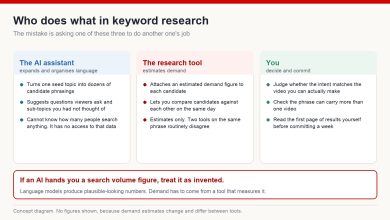
Any keyword tool will give you demand estimates to help you order candidates. Treat them as estimates — different tools disagree, and the numbers move month to month. What you want is a phrase with genuine demand that is not the single most contested term in your niche, and then you want it written identically everywhere from here on.
Step 2: open the file’s properties
On Windows: right-click the exported file, choose Properties, then the Details tab. The editable fields are the ones that show a text box when you click the value.
On macOS: the Finder’s Get Info panel does not let you edit these fields. You will need a tool that writes metadata directly — a general-purpose metadata utility, or the tag fields inside your editing or encoding software at export time.
Not every field is writable in every container, and support varies. If a field refuses to accept text, move on rather than fighting it; nothing here is important enough to be worth an hour.
Step 3: what goes in each field
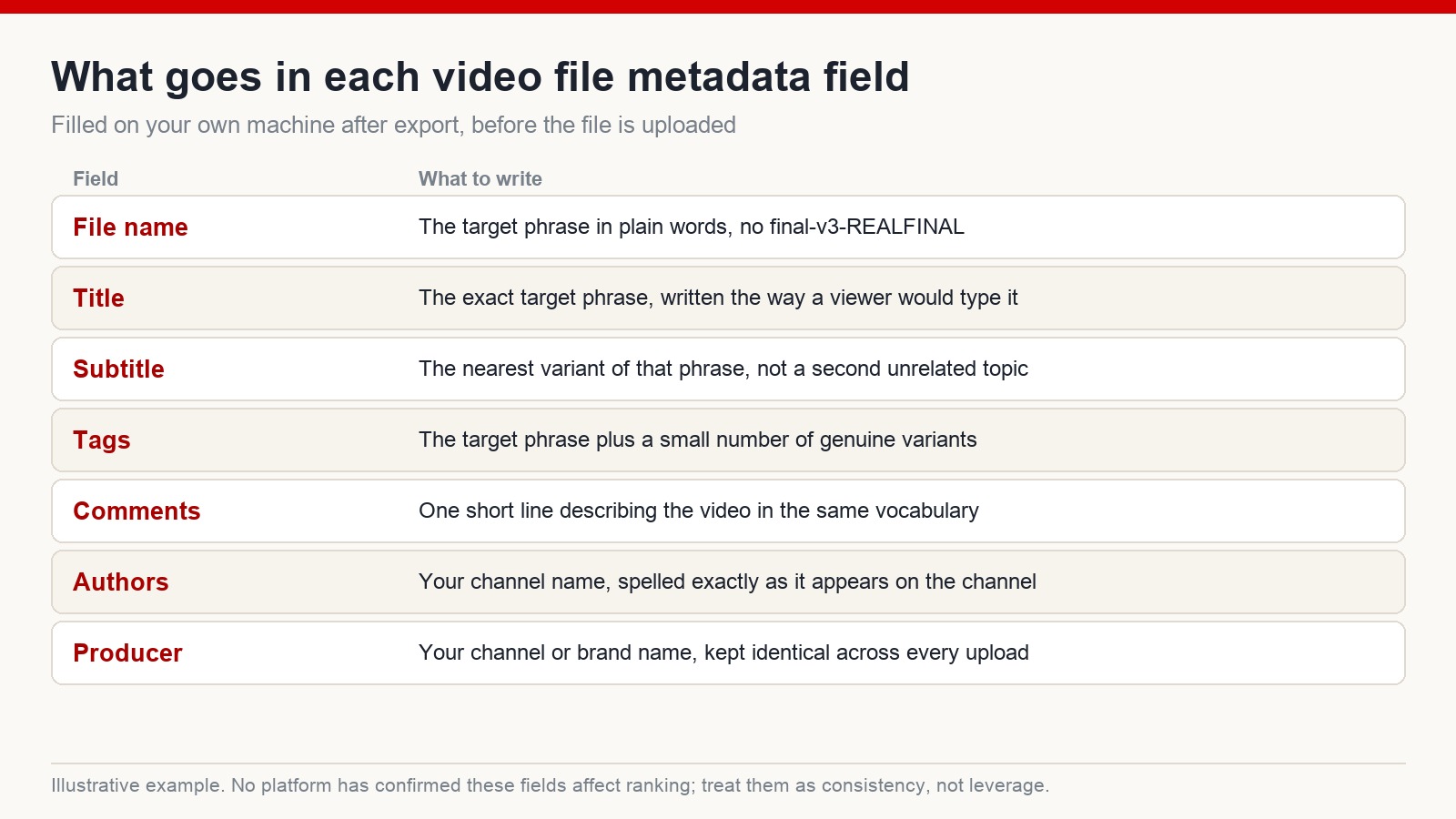
File name. The target phrase in plain words, separated by hyphens. This is the one field I would insist on even if you skip everything else, because a descriptive file name is what stops you losing the file in six months.
Title. The exact target phrase, written the way a viewer would type it. Not a cleverer version, not a variation.
Subtitle. The nearest variant of the same phrase. This is not a place for a second, unrelated topic.
Tags. The target phrase plus a small number of genuine variants — three or four. There is a strong pull to fill this with twenty loosely related terms. Resist it; nothing rewards you for volume here, and a short honest list is easier to keep consistent across a hundred uploads.
Comments. One short line describing the video, using the same vocabulary as the title. Think of it as the one-sentence summary you would give someone who asked what the video is.
You will also see advice about setting the Rating field to five stars. I have never seen a shred of evidence that this does anything, and I would leave it alone. If a step has no observable effect and no mechanism, it belongs in the same bin as lucky socks.
Step 4: the channel identity fields
Two fields are worth filling in for a reason that has nothing to do with search.
Authors takes your channel name, spelled exactly as it appears on the channel — same words, same capitalisation. Producer or publisher takes the same name, kept identical across every upload.
The point is not discovery. It is that your files carry your name if they are ever re-shared, re-uploaded or handed to an editor, and that a folder of two hundred exports remains attributable a year later. That is a real benefit and it does not require believing anything unproven.
Some people also paste their channel ID into a spare field. It is harmless, but I have never seen it produce an observable effect, and I would not spend time on it.
Step 5: save it, then check that it saved
Apply, then OK. Then close the dialog, reopen it, and confirm the values are still there.
This sounds like padding. It is not — metadata writes silently fail more often than you would expect, particularly on files that are still being read by another application, on network or external drives, or on containers with limited field support. Discovering that after you have done fifteen files is genuinely annoying.
Check the first file properly. If it held, the rest of the batch almost certainly will too.
File metadata versus on-platform metadata
These get conflated constantly, so it is worth separating them cleanly.
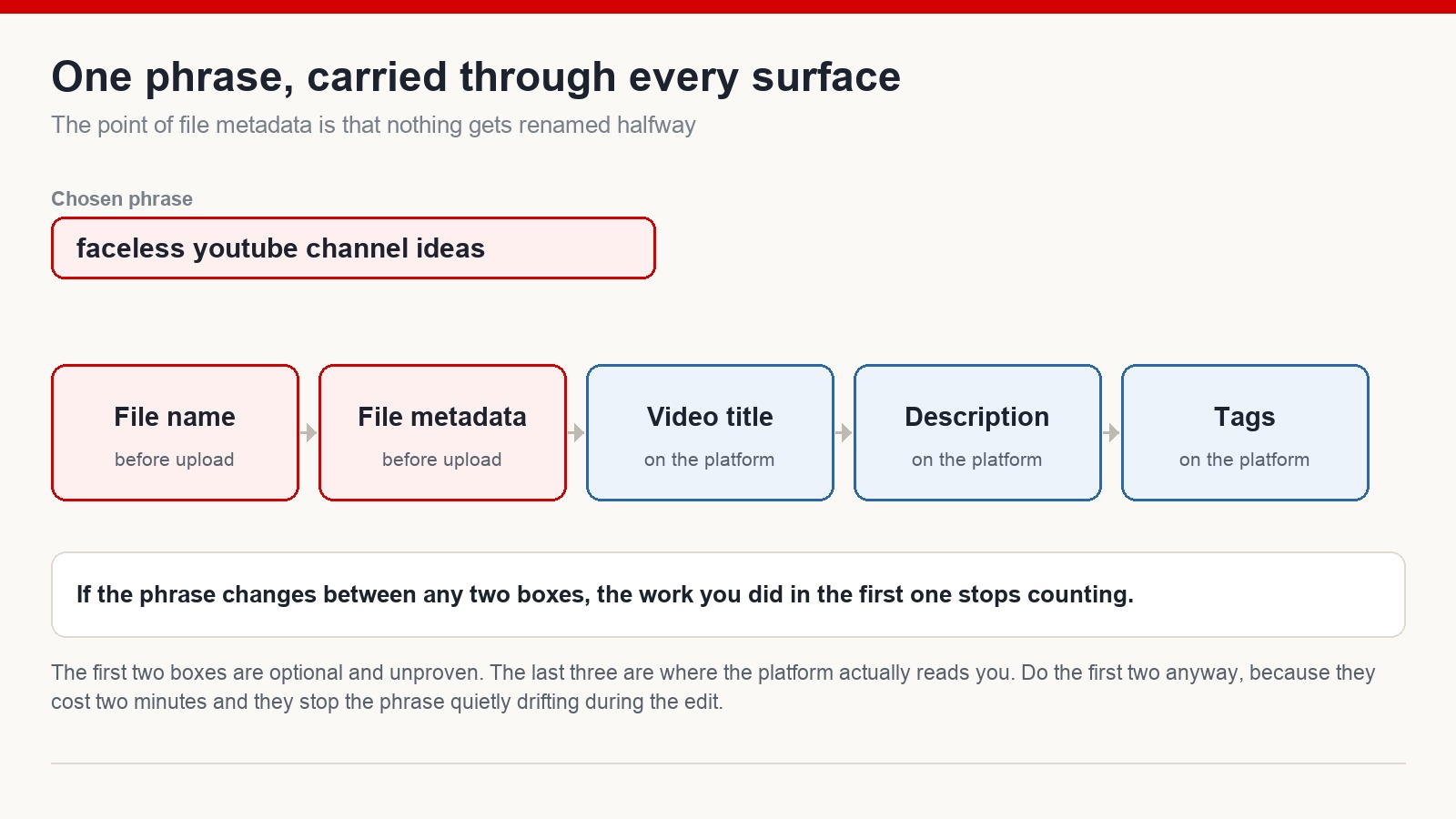
File metadata is everything above: file name, embedded title and tags, author and producer. It happens on your machine, before upload, and its effect on distribution is unproven.
On-platform metadata is the video title, the description, the tags, hashtags, captions and chapters. It happens after upload, the platform definitely reads it, and it definitely matters.
The connection between them is consistency. If the video is built around one phrase, that phrase should appear in the file name, in the embedded fields, in the title, in the description and in the tags — the same phrase, not five near-misses. Where the wording drifts between stages, the research you did at the start quietly stops counting.
So is any of this a ranking factor?
No, and I would rather say so plainly.
What demonstrably drives distribution is viewer behaviour: whether people click, how long they stay, whether they keep watching afterwards, whether they come back. Those signals dominate everything else, and no amount of file preparation compensates for a video people abandon at forty seconds.
What file metadata gives you is a two-minute checkpoint that catches drift. It also means your archive is searchable, your exports are attributable, and the phrase you chose at the research stage is still the phrase you are publishing under. Those are modest, real benefits. Anyone promising more than that is selling something.
Is filling in file metadata necessary?
No. No platform requires it and none has confirmed it affects distribution. Many experienced creators do it anyway because it costs about two minutes and enforces consistency across the publishing chain.
Can I do this on a Mac?
Not through the Finder’s Get Info panel, which will not edit these fields. Use a metadata utility that writes the tags directly, or set the fields in your editing or encoding software at export. The file name, which is the most useful field of all, you can obviously set anywhere.
How many videos should I do this for?
If you do it at all, do it for everything — the value is entirely in the consistency, and a habit applied to half your uploads is not a habit. It is most worth establishing on the first batch of a new channel, when you are setting your working routine.
Does this replace optimising the title and description?
Not remotely. Title, thumbnail, the first thirty seconds and retention are where the real work is. File metadata is a tidy final step in a process, not a substitute for any part of it.
Small steps, applied every time
I am not going to tell you that writing tags into a file will change your channel. It will not.
What does change a channel is having a publishing process that runs the same way every time: research the phrase, build the video around it, carry the phrase through every field without letting it drift, publish, then look at what the retention curve says. File metadata is one of the cheapest steps in that process and one of the easiest to keep.
Results vary, platform behaviour changes, and no single step decides anything. But a hundred videos produced through a consistent process tend to look very different from a hundred produced ad hoc.
If you want the full publishing process for a faceless channel aimed at English-speaking audiences, that is what I teach at mmoyoutube.com.