Every Explainer Channel Is a Classroom: Seven Tools for Making What You Know Visible
Look at the seven tools in this reel and a pattern appears. Only a couple are general assistants. Most of the rest do one specific thing: turn words into something you can see – a diagram, a slide deck, a poster, a short video.
And one line gives away who the list was really written for: lesson plans, quizzes, student feedback. It is a teacher’s toolkit.
Which is exactly why it belongs on a blog about channels. Every explainer channel is a classroom. You take something you understand, and you have a few minutes to make a stranger understand it too. The hard part was never knowing the subject. It is making it visible.
From what you know to what they see
Arrange the seven along the path an explanation actually travels, and they stop being a list and become a pipeline.
| 1. Understand → | 2. Plan the lesson → | 3. Show the structure → | 4. Build the visuals → | 5. Summarise & reuse |
|---|---|---|---|---|
| Claude Google AI Studio Read the long source, find what matters, get honest feedback on your draft. |
ChatGPT
A lesson plan is a video outline. A quiz is a comprehension check. |
Napkin AI
Plain text into a diagram or mind map – the thing narration alone cannot do. |
Gamma Canva AI Decks, infographics, posters and short clips from your outline. |
Gemini
Summarise the PDF, build the recap slides, make a short video version. |
Column three is the one most explainer channels are missing. One clear diagram often does what ninety seconds of narration cannot – we made that point about Napkin in ten AI tools worth adding to a video workflow, and it is truer of teaching than of anything else.
The seven, as the reel puts them
Each tool’s job in the reel’s own words, what that becomes on an explainer channel, and the catch worth knowing first.
| Tool | The reel says | On an explainer channel | The catch |
|---|---|---|---|
| Claude | Long writing, document analysis, honest feedback | Reading the source material and critiquing your script before you record | Feedback on a bad brief is careful feedback on the wrong thing. Say who the video is for. |
| Google AI Studio | Newest Gemini models, long files, images | Testing a prompt on a long document or image before building a routine around it | Built for developers and experimenters. Check the terms on what you upload. |
| Napkin AI | Text into diagrams and mind maps | The diagram that makes a process click on screen | A wrong diagram teaches the wrong thing with authority. Check every arrow. |
| Gamma | Text into a finished slide deck | On-screen slides for a talking-head or voiceover explainer | First decks are wordy. Ask for fewer words per slide than it gives you. |
| ChatGPT | Lesson plans, quizzes, student feedback | Video outlines, comprehension checks, drafted replies to viewer questions | A quiz it writes has to be checked against your own answer key. |
| Gemini | Summarise PDFs, build slides, make AI videos | Turning a heavy source into a short recap, or a video into a Short | Generated video carries disclosure obligations on most platforms. |
| Canva AI | Posters, infographics, short videos | Thumbnails, summary graphics and social cut-downs | Some elements are paid. And a thumbnail has to read at two centimetres wide. |
The post this came from
Watch the reel
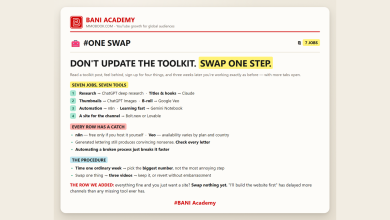
Seven tools, seven jobs – swipe through. Posted on the BANI Academy page.
Borrow the teacher’s toolkit, literally
The most useful part of this list is the vocabulary it borrows from teaching. Every classroom tool has a direct equivalent on a channel, and thinking in those terms makes videos noticeably clearer.
| In a classroom | On a channel | What it fixes |
|---|---|---|
| Lesson plan | Video outline with one learning goal | Videos that try to teach four things and land none of them |
| Starter question | The opening line: the viewer’s problem, stated in their words | Intros that talk about the channel instead of the viewer |
| Board diagram | One on-screen diagram at the hardest moment | The retention dip where the explanation gets abstract |
| Quiz | A pinned question that checks whether it landed | Not knowing what viewers actually understood |
| Student feedback | Replies to the questions in the comments | Missing the next video, which is usually hiding in those questions |
The second row matters more than it looks. The first sentence of an explainer decides whether anyone stays for the diagram – which is why we write five of them and record one, as in the first sentence. And the fifth row is the cheapest content research there is: a comment that says “I still don’t get X” is a video title.
What the tools cannot teach for you
Three limits, all specific to explaining things.
Accuracy has to come from you. A diagram or a slide carries authority simply by being on screen. If the underlying claim is wrong, the visual makes it more convincing, not less. Check the substance before you make it pretty.
Generated visuals need to be honest about what they are. An illustrative clip is fine; presenting a generated scene as footage of something real is not. How to disclose without deflating the video is in disclosing generated visuals without losing trust.
The judgement about what to leave out is yours. Every tool here will happily add more – more slides, more bullet points, more detail. Good teaching is mostly deletion.
If you are still deciding which general assistant to anchor all of this on, the job-by-job comparison is in five assistants, five jobs. And for the thumbnail end of the pipeline, the five-slot structure in ninety-nine image prompts you will not use applies to any of the visual tools above.
One explainer, start to finish
To make the pipeline concrete, here is one video moving through it – say, an explainer on how compound interest works.
Understand. Hand the assistant the two long articles you would normally skim, and ask for the three ideas a beginner most often gets wrong. You now know where the video has to be clearest.
Plan the lesson. Ask for a lesson plan with one learning goal: by the end, the viewer can explain why time matters more than the rate. That sentence becomes the outline, and anything that does not serve it gets cut.
Show the structure. Paste the paragraph where the idea turns abstract and turn it into a diagram – two lines diverging over thirty years. Check that the numbers on it are right before it goes anywhere near the edit.
Build the visuals. Make three on-screen slides for the key figures and one summary graphic for the end card. Strip each slide back to a handful of words.
Summarise and reuse. Turn the finished script into a short recap for the description and a vertical cut-down, and pin a question underneath asking viewers to predict a result before they watch.
Five steps, three or four tools, and the one decision that never got delegated: what the viewer should understand when it ends. If you want to go further than using these tools and understand how they work, the learning order in twenty-six free channels, one track at a time is the place to start.
Frequently asked questions
Do I need all seven?
No. Most explainer channels need one assistant, one diagram tool and one design tool. Add the rest when a specific step keeps breaking.
Which one helps explainers most?
Usually the diagram tool, because it fixes the moment viewers leave – when the explanation becomes abstract.
Are these free?
Most have free tiers with limits, and some design elements are paid. Check each provider’s own terms before planning around one.
Is this list only for teachers?
It was written with teachers in mind, and that is its strength. Anyone who explains things on camera is doing the same job.
Fix the moment people leave
Open the retention graph on your last explainer. Find the point where the line drops hardest, and look at what was on screen. If it was you talking about something abstract, that is where a diagram belongs.
Make one diagram for that moment on your next video, and compare the graph. That single change teaches more about visual explanation than any list of tools.
Learning a lot does not make anyone good. Doing a lot does.
If you want the structure that makes that habit stick, that is what our free challenge is built for: no barrier to entry, a genuine commitment to action, and a refundable commitment fee you get back when you finish. You are not paying for the knowledge. You are betting on yourself finishing, and we hold the stake.
Which one do you already use? Tell us in the comments on the original reel.
For more on building channels for English-speaking audiences, that is what we work on at mmoyoutube.com.