How To Use AI Voiceover For Faceless YouTube Videos: The Full Workflow
There was a stretch where making a polished faceless video for an English-speaking audience meant hiring people. A native-speaking narrator, an editor, sometimes a scriptwriter. For anyone starting out with no budget, that was the end of the conversation.
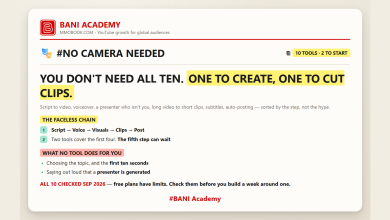
Voice models removed that barrier almost overnight. One person can now write the script, generate the narration, cut the video and keep a publishing schedule, without ever appearing on camera. This is the workflow I use, in the order I actually do it.
Why synthetic narration changed faceless production
Plenty of channels now publish without a real voice, without a face and without a studio, and still reach large international audiences. The advantage comes down to three things: speed of production, cost, and the fact that a working process can be repeated.
A creator with a settled workflow can turn out several videos in the time it used to take to book a session with a narrator. That is not a small efficiency gain. It changes what one person can attempt.
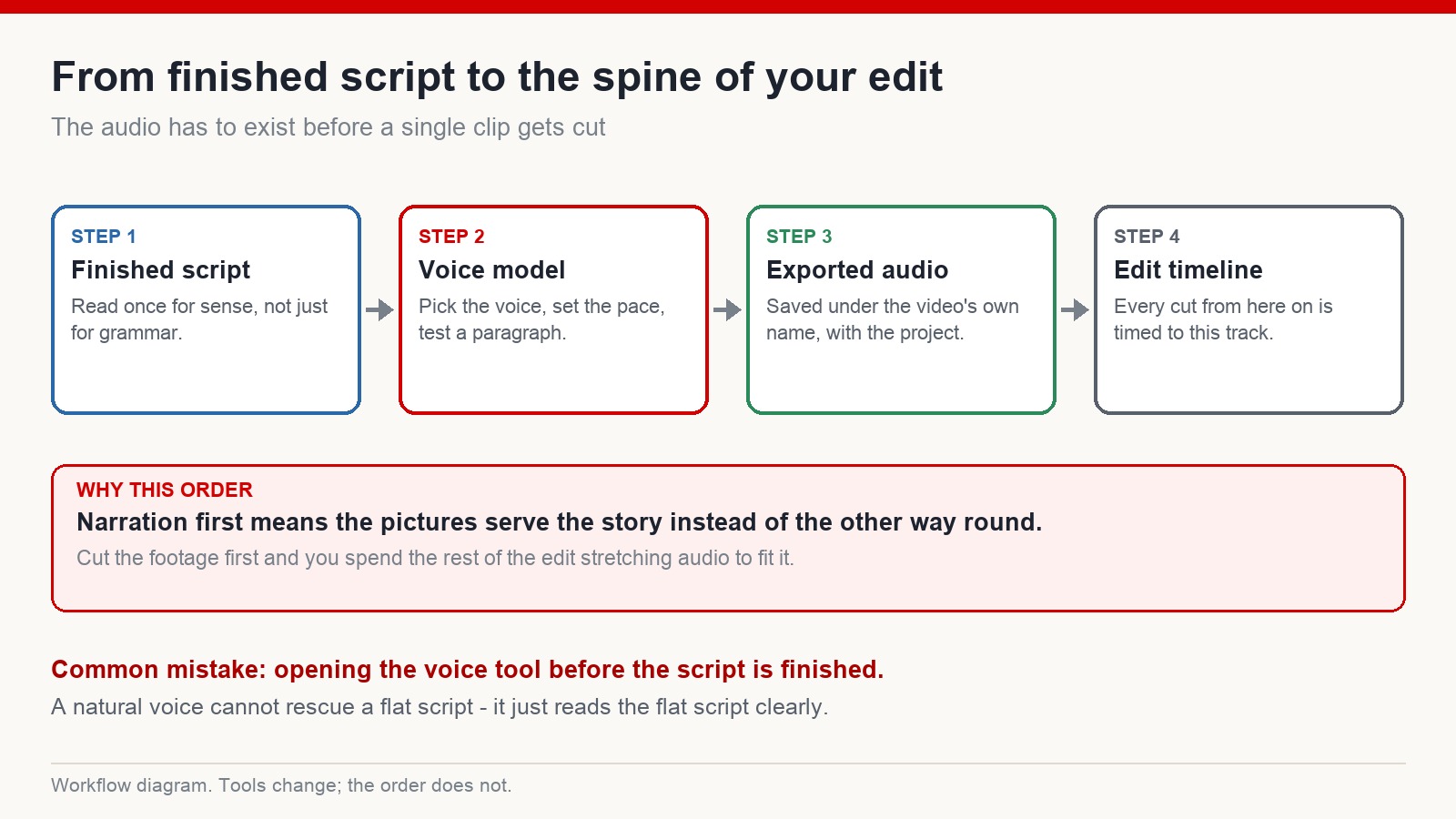
The first step is not opening the voice tool
This is the most common mistake I see. Someone signs up for a voice model, pastes in a rough draft, and starts auditioning voices.
What comes out sounds hollow, the pacing drags, and viewers leave early. The tool gets blamed. The tool was fine.
A voice model only sounds as good as the script under it. A natural, warm, perfectly-paced read of a boring paragraph is still a boring paragraph, delivered clearly. Finish the writing first.
Learn the structure of videos that already work
Before you write, spend an hour on videos in your niche that people actually finish. What you are looking for is the shape of them:
- what the first ten seconds promise
- how quickly the payoff starts arriving
- where the video changes direction
- what the ending does with the viewer’s attention
That is research, and every serious creator does it. What you must not do is lift the material. Downloading someone’s captions and republishing a lightly reworded version of their video is a copyright and policy problem, and it also produces a channel with nothing of its own to stand on. Study the structure, then write your own thing inside it.
Using a language model as a drafting assistant
Once you know the shape you want, a language model is genuinely useful for getting a first draft out of your head and onto the page. The prompt I use looks roughly like this:
Rewrite this outline as a spoken YouTube script. Strong opening in the first five seconds. Build curiosity early. Short sentences. Vary the rhythm. Reorder the information so the most interesting part is not last. End on a question the viewer can answer in the comments.
Then I rewrite the output. Every time. The draft gives you structure and momentum; the voice and the specifics have to come from you, or the video sounds like a hundred others.
Choosing the voice
Most people pick a voice in about forty seconds and then live with it for a ten-minute render. Spend longer. Take one paragraph of your actual script, run it through every voice on your shortlist, and listen to all of them back to back.
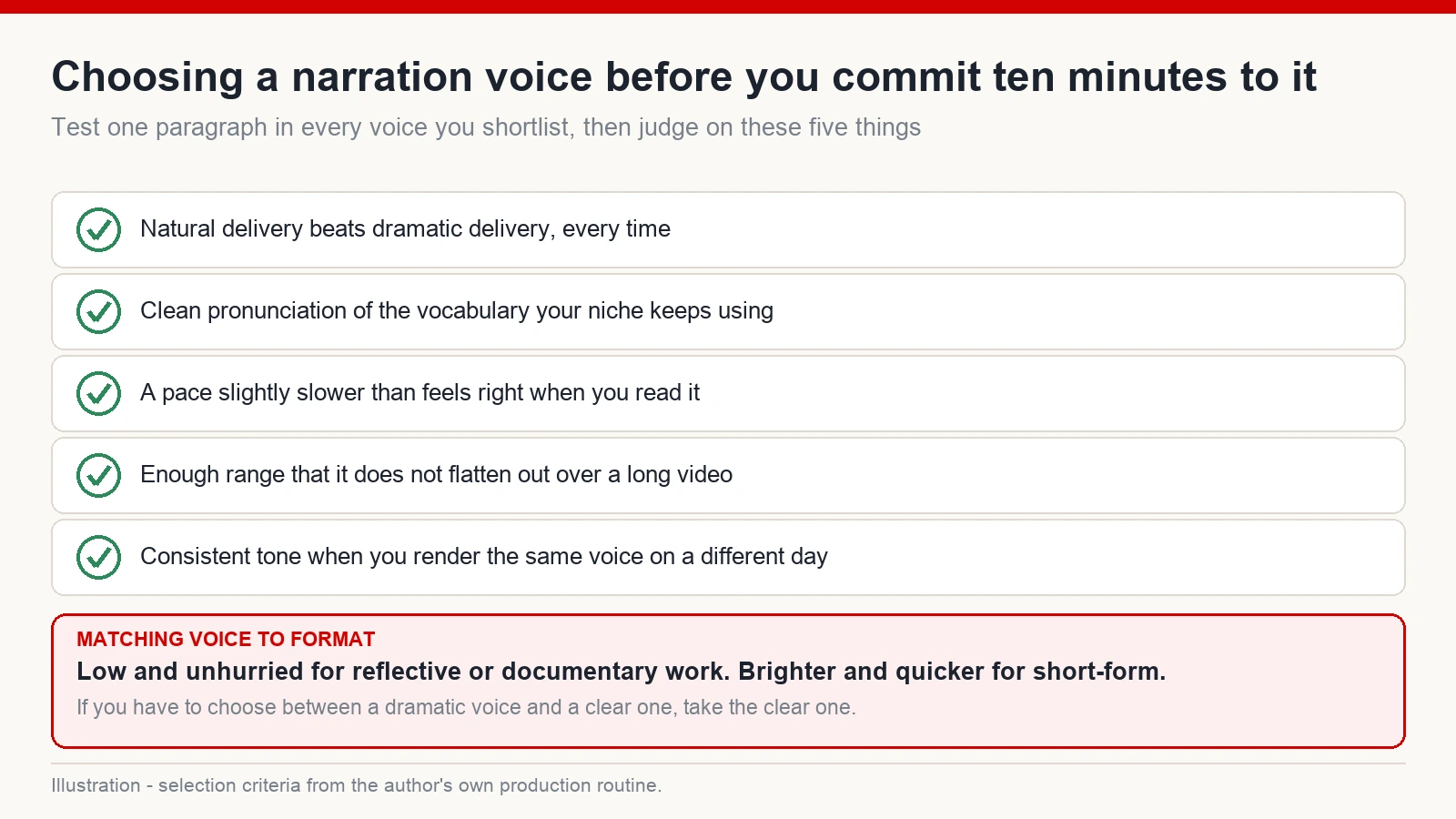
Rough guidance on matching voice to format: a low, steady voice for exploration and documentary material; a lighter, warmer voice for storytelling; something brighter and quicker for short-form. And when you are torn between a dramatic voice and a clear one, take the clear one. Drama gets tiring across a long video. Clarity does not.
One more thing worth checking: how the voice handles the vocabulary your niche uses constantly. If it mispronounces a word that appears in every single video you make, that is a problem you will hear forever.
Rendering the narration
Paste in the finished script
Finished means finished. Read for sense, not just for typos. If a sentence does not work when you say it out loud, it will not work when the model says it either.
Set the pace slightly slower than feels right
Almost everyone renders too fast the first time. Written text moves faster in your head than speech does in someone’s ears. Slow it down a notch and listen again.
Export and file it properly
Save the audio under the video’s own name, in the video’s own project folder. This sounds trivial until you have twenty renders called final, final2 and final_real, and you are trying to work out which one matches the timeline you left three days ago.
That exported track is the spine of the edit. Everything from here is timed to it.
The editing principle: say it, show it
The most common editing failure in faceless video is a picture that arrives late. The narration says something specific, and the visual that matches it appears two seconds afterwards, or never.
Keep it literal. If the line is “the snake strikes,” the strike is on screen at that moment, not before and not after. The brain is very good at noticing when sound and image are out of step, and very bad at explaining why the video felt off.
Handling audio from your source clips
Use footage you actually have the right to use: your own recordings, properly licensed stock, or material released under a licence that permits it. Pulling clips off social platforms because they are easy to grab is how channels get claimed and removed.
When a licensed clip comes with its own audio, the mix is usually straightforward. Drop the original track well down, keep a trace of ambience so the scene does not feel dead, and let the narration sit clearly on top. Two competing audio sources is the fastest way to make a video feel amateur.
Does the platform penalise synthetic narration?
Using a voice model is not, by itself, the issue. What gets channels into trouble is content with nothing added to it: reuploads, thin compilations, videos assembled from someone else’s work with a new voice on top.
If your script is original, your structure is your own and your edit does real work, synthetic narration is just a production choice. If the video is a repackaged version of someone else’s, the narration tool will not save it. Policies also change, so it is worth reading the current guidelines yourself rather than trusting a summary you read last year.
The first videos are supposed to be slow
The mistake that costs beginners the most time is trying to make the first video perfect. The creators who improve quickly are the ones who publish regularly, keep an eye on what the numbers are telling them, and change one thing at a time.
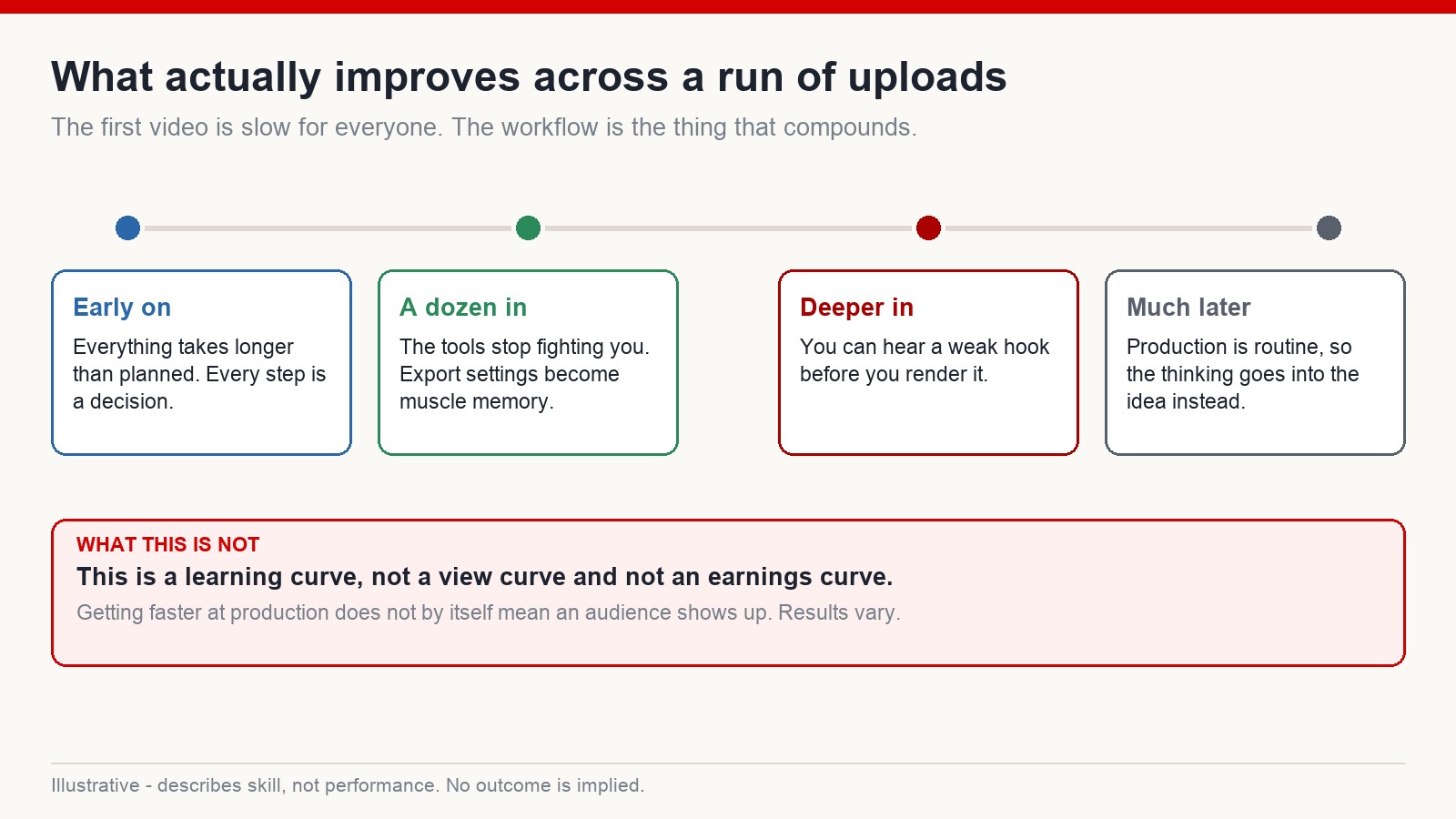
Your early narration will not be your best narration. Neither will your early scripts or your early cuts. What changes over a run of uploads is not talent, it is the workflow: the tools stop fighting you, export settings become automatic, and eventually you can hear a weak opening before you render it.
I want to be clear about what that is and is not. Getting faster at production does not mean an audience arrives. It means the production stops being the thing standing in your way.
Common questions
Can a channel with synthetic narration be monetised?
Channels using voice models operate under the same rules as everyone else: the content needs to be original and add real value, rather than being a reupload with a new voice track. There is no guarantee attached to any of this, but genuinely original work has a far better chance than repackaged work.
Which voice tool should a beginner use?
Whichever one handles your target language convincingly and lets you test before you commit. The specific product matters much less than people expect, and the market changes constantly, so judge the output rather than the brand.
Does the output need editing after rendering?
Usually a little. Adding pauses, adjusting pace and re-rendering the occasional paragraph that came out flat is normal and takes minutes.
Do I need my own voice to run a faceless channel?
No. Many established faceless channels use synthetic narration throughout.
What matters most in this whole workflow?
The script, and the pacing of the edit against it. Not the voice. The voice is the easiest part to fix and the last thing to worry about.
Where to start
If your reason for not starting a channel is that you do not like the sound of your own voice, that reason has quietly expired. A single person can now write, narrate, cut and publish for an international audience without ever being on camera.
What has not changed is that you still have to understand why anyone would keep watching. Start there, keep the workflow simple, and let the process get faster on its own. If you want to see how I approach this end to end for English-speaking audiences, that is what I work on at mmoyoutube.com.